

If you are comparing Cloudways vs GoDaddy because your WordPress site has outgrown basic budget hosting, the short answer is this: Cloudways is usually the better fit for performance-focused site owners who want managed cloud hosting without managing servers manually. GoDaddy can still make sense if you want a familiar, entry-level hosting path and prefer simplicity over flexibility.
This Cloudways vs GoDaddy comparison is not about declaring one brand “good” and the other “bad.” It is about matching the hosting model to the job. For growing blogs, creators, freelancers, WooCommerce stores, and small businesses that care about speed, scalability, and fewer hosting headaches, Cloudways has the stronger case.
Official website · Latest pricing & offers
Cloudways vs GoDaddy: The short answer for site owners
Cloudways is the stronger pick if you want managed cloud hosting for WordPress, access to cloud infrastructure choices, free migration, free SSL, security features, and 24×7 expert support. It is especially appealing if you are moving away from traditional shared hosting and want more control without becoming a server administrator.
GoDaddy is better suited to users who want an all-in-one mainstream hosting provider and a very familiar buying experience. If your site is small, your needs are basic, and you value convenience above performance tuning, GoDaddy may still be enough.
Who Cloudways is best for
Cloudways is best for site owners who have started to feel the limits of basic hosting. That usually includes slower page loads, plugin-heavy WordPress dashboards, WooCommerce bottlenecks, or support interactions that do not go deep enough.
In practical terms, Cloudways is a good fit for:
- WordPress users who want better performance headroom
- Freelancers managing multiple client sites
- Creators with growing traffic
- WooCommerce stores that need more dependable infrastructure
- Small businesses that cannot afford frequent hosting friction
- Developers who want managed cloud hosting without full server maintenance
Cloudways offers managed cloud hosting for WordPress and works with DigitalOcean, Vultr, Linode, AWS, and Google Cloud Engine. That provider choice is one of the biggest reasons the Cloudways vs GoDaddy decision often leans toward Cloudways for performance-conscious buyers.
If you want to evaluate it directly, you can start free with Cloudways and compare the workflow against your current host before committing.
Who GoDaddy is best for
GoDaddy is best for people who want a mainstream hosting experience from a large, familiar brand. Many beginners like having domains, hosting, email-related services, and website tools available in one ecosystem.
That convenience can be valuable if your website is simple. A local brochure site, starter blog, or low-maintenance project may not need the flexibility of managed cloud hosting right away.
The tradeoff is that traditional hosting can become limiting as traffic, plugins, transactions, or client expectations increase. That is why many people researching Cloudways vs GoDaddy are not starting their first site; they are trying to escape performance issues or management friction.
The fastest way to choose between them
Use this quick filter:
| If this sounds like you | Better fit |
|---|---|
| “I want faster WordPress hosting with managed cloud flexibility.” | Cloudways |
| “I want the simplest mainstream hosting setup for a small site.” | GoDaddy |
| “I manage client sites and need more control.” | Cloudways |
| “I mainly want domain and basic hosting convenience.” | GoDaddy |
| “My site is growing and speed now affects revenue.” | Cloudways |
| “I do not want to think much about hosting architecture.” | GoDaddy |
The fastest decision rule is simple: choose Cloudways if hosting performance, flexibility, and growth matter more than beginner simplicity. Choose GoDaddy if you want the most familiar entry-level path and your site requirements are modest.
What each platform is built to do
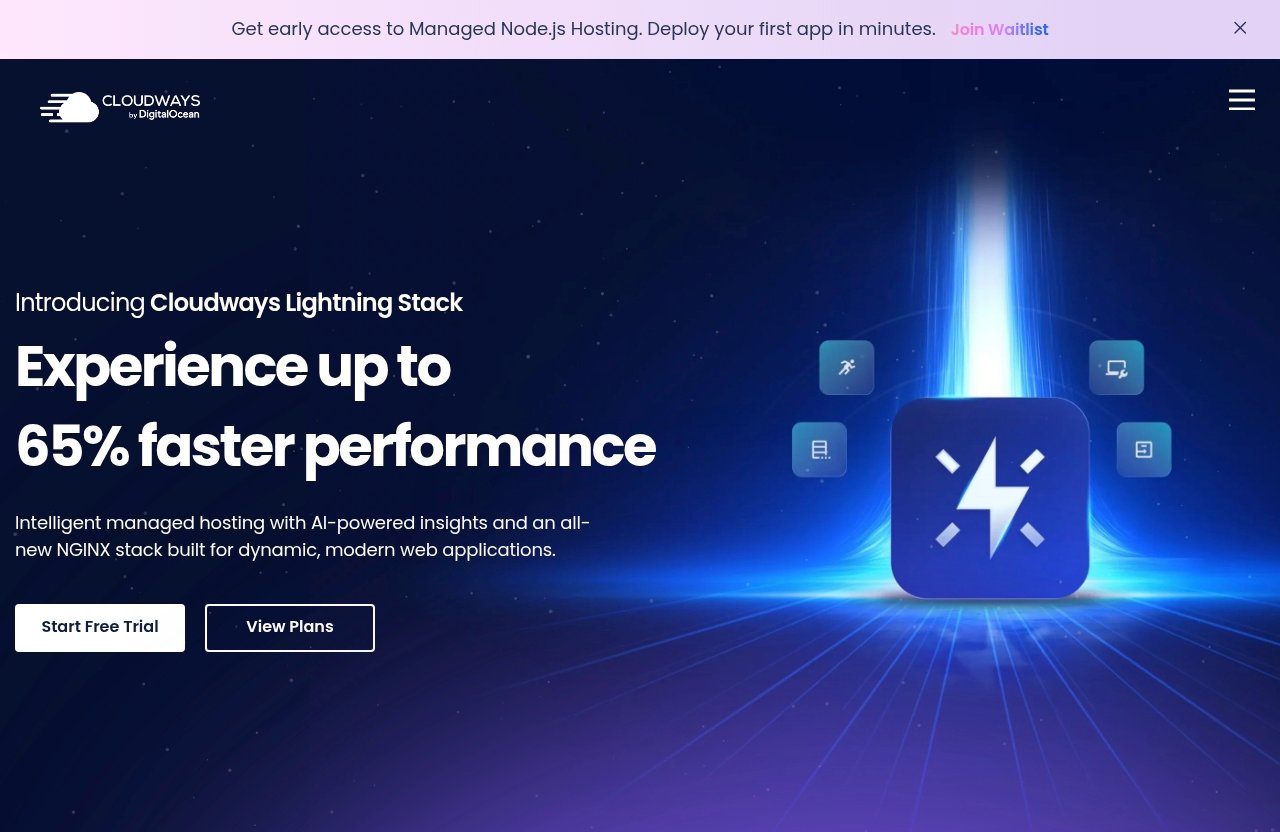
The biggest difference in Cloudways vs GoDaddy is not just brand reputation. It is the hosting model.
Cloudways is built around managed cloud hosting. GoDaddy is a mainstream hosting provider with offerings that often appeal to budget-conscious and beginner users. Those categories overlap, but they solve different problems.
Cloudways as managed cloud hosting
Cloudways offers managed cloud hosting for WordPress and supports apps including WordPress, Laravel, Magento, WooCommerce, and PHP. Instead of locking you into one generic hosting environment, Cloudways lets you work with major cloud providers: DigitalOcean, Vultr, Linode, AWS, and Google Cloud Engine.
That matters because cloud infrastructure gives site owners more room to grow. You are not just buying “a hosting account”; you are choosing a managed layer on top of cloud infrastructure.
Cloudways also highlights Performance, Security, 24×7 Expert Support, Free Migration, and Free SSL on its official pages. Those are the verified feature pillars that matter most to people moving from budget hosting.
For a deeper practical walkthrough, see our related [Cloudways review](/cloudways-review/) and [Cloudways pricing breakdown](/cloudways-pricing/).
GoDaddy as mainstream shared/managed hosting
GoDaddy is a mainstream web services company widely known for domains, website tools, and hosting. For many beginners, the appeal is convenience: one recognizable provider, a broad product catalog, and a familiar checkout flow.
For simple websites, that can be enough. Not every project needs managed cloud hosting, and not every site owner wants to compare cloud providers or think about infrastructure.
However, when people search for Cloudways vs GoDaddy for WordPress, they are usually asking a more specific question: “Will moving to a cloud-managed platform reduce the performance and support problems I am having now?” For that use case, the answer often points toward Cloudways.
Why the hosting model matters more than the brand
A hosting brand can be famous, but architecture determines the experience. The key comparison is managed cloud hosting vs shared hosting or traditional budget hosting.
Here is the practical difference:
| Factor | Managed cloud hosting model | Traditional mainstream hosting model |
|---|---|---|
| Infrastructure | Built around cloud providers and scalable environments | Often optimized for convenience and broad entry-level use |
| Control | More flexibility for growing sites | Usually simpler but may be less flexible |
| Best for | Performance-focused WordPress, WooCommerce, agencies | Small sites, beginners, basic web presence |
| Tradeoff | Slightly more advanced workflow | Easier entry point, less tuning flexibility |
This is why Cloudways vs GoDaddy performance is not only about one company being faster than another. It is about whether your site needs the architecture Cloudways is built around.
Cloudways vs GoDaddy pricing: what you can verify and what buyers should watch for
Pricing is where many hosting comparisons become misleading. Hosting providers often change promotions, renewal terms, add-ons, and plan structures. For that reason, this Cloudways vs GoDaddy pricing section focuses only on verified Cloudways facts from official Cloudways content and avoids inventing GoDaddy prices or Cloudways plan-level numbers.
The commercial question is not just “Which one looks cheaper today?” It is “Which one gives my site the best total value after performance, support, migration, SSL, and growth needs are included?”
Verified Cloudways pricing facts
From the provided official Cloudways homepage and pricing content, the verified facts are:
| Cloudways pricing or offer item | Verified fact |
|---|---|
| Start option | Cloudways has a Start Free option |
| Lifetime deal | Official page mentions a Lifetime deal: 75% OFF |
| Advanced Support | Listed as a separate offer |
| Advanced Support current price | $100/month |
| Advanced Support new discounted flat price | $25/month |
| Plan-level monthly prices | Not visible in the provided official pricing-page extract |
Because verified plan-level monthly prices were not visible in the provided official pricing-page extract, this article will not fabricate them. Before buying, readers should confirm the latest plan pricing, renewal details, support tiers, and any current promotional terms on the official Cloudways pricing page.
For GoDaddy, pricing is also plan-dependent and promotion-dependent. You should check the current plan terms directly, especially renewal pricing, bundled services, and what is included versus optional.
Why sticker price is not the full cost
The cheapest-looking hosting plan is not always the lowest-cost option. A slow site can cost money through lost conversions, poor user experience, developer time, and constant troubleshooting.
When evaluating cloudways vs godaddy cost, look beyond the monthly headline price and ask:
- Does the hosting include free SSL?
- Is migration included?
- How much support do you need?
- Will you need performance plugins, caching help, or developer time?
- Can the platform support WooCommerce or traffic growth?
- How easily can you manage multiple sites?
- What happens when your site gets slower or more complex?
Cloudways includes Free Migration and Free SSL as verified official features. That matters for switchers because migration and SSL setup are two common friction points when leaving budget hosting.
How add-ons, support, and migration affect total value
For a basic site, GoDaddy may look more economical depending on the plan and promotion. For a growing WordPress site, the value equation changes.
If Cloudways reduces performance troubleshooting, makes migration easier, and gives you 24×7 expert support, the higher-value choice may not be the lowest sticker price. That is especially true for freelancers and small businesses where lost time has a real cost.
A practical Cloudways hosting comparison should include these value factors:
| Cost factor | Why it matters |
|---|---|
| Migration | Poor migrations can cause downtime, broken SSL, or email/DNS issues |
| Support | Better support can reduce troubleshooting time |
| Performance | Faster pages can improve user experience and conversions |
| Security | Weak security can create cleanup costs |
| Scalability | Growing sites often outgrow basic hosting |
My view: if your site is still experimental, price may dominate the decision. If the site earns money, supports clients, or represents your business, total value matters more than the cheapest monthly number.
Cloudways vs GoDaddy performance and speed: where Cloudways usually pulls ahead
Performance is the main reason many site owners compare Cloudways vs GoDaddy. If your WordPress dashboard feels heavy, pages load inconsistently, or WooCommerce checkout is sluggish, moving to a more capable hosting model can be a high-impact upgrade.
Cloudways usually has the stronger performance case because it is built around managed cloud infrastructure and provider choice. That does not mean every Cloudways site will automatically be fast. Themes, plugins, images, scripts, caching, and database health still matter.
Cloud infrastructure choices
Cloudways works with DigitalOcean, Vultr, Linode, AWS, and Google Cloud Engine. That choice gives users a different foundation than a one-size-fits-all hosting setup.
For site owners leaving basic hosting, this flexibility is important. You can choose a cloud provider environment that better matches your site’s needs, budget, and growth plans.
In the Cloudways vs GoDaddy speed debate, architecture is the key. Cloudways gives you managed access to cloud infrastructure, while GoDaddy is generally considered through the lens of mainstream hosting convenience.
Stack features that support speed
Cloudways officially lists Performance as a core feature area. That is an important distinction because the platform is positioned around helping users run faster, more capable web apps without managing every server-level detail themselves.
Still, hosting is only one part of site speed. A lightweight theme, optimized images, good plugin discipline, and smart caching practices remain essential.
When comparing Cloudways vs GoDaddy performance, use this practical checklist:
| Speed factor | Why it matters |
|---|---|
| Hosting architecture | Determines available performance headroom |
| WordPress theme | Bloated themes slow down even good hosting |
| Plugin count and quality | Poor plugins can create database and script issues |
| Image optimization | Large media files hurt load time |
| Checkout or form performance | Business-critical pages need extra attention |
| Traffic spikes | Growing sites need more resilient infrastructure |
If you want a more technical angle, our [Cloudways for developers guide](/cloudways-for-developers/) is useful for understanding when managed cloud hosting makes sense.
Why performance matters for SEO and conversions
Speed is not just a technical vanity metric. It affects how users experience your site, how easily they move through content, and whether they complete actions like purchases, bookings, or form submissions.
For content sites, slow pages can reduce engagement. For WooCommerce stores, performance problems can directly affect revenue. For freelancers, slow client sites create support tickets and damage trust.
That is why Cloudways vs GoDaddy for WordPress is often a business decision, not just an IT decision. If performance issues are costing you time or conversions, Cloudways is the more compelling option.
Ease of use and day-to-day management
Ease of use is where the comparison becomes more nuanced. Cloudways is not difficult for most WordPress users, but it is more advanced than the simplest beginner hosting path.
GoDaddy may feel more familiar to absolute beginners, especially if they already bought a domain there. Cloudways is better for users who want more control without taking on unmanaged server administration.
Dashboard and workflow
Cloudways is designed to simplify managed cloud hosting. Instead of dealing directly with raw cloud infrastructure, you manage applications and hosting through the Cloudways platform.
That workflow is helpful for WordPress users who want performance and flexibility but do not want to configure everything manually. It is also useful for freelancers managing multiple client projects.
GoDaddy’s appeal is different. Its mainstream hosting workflow may feel more straightforward for users who want a single provider for domains and hosting-related services.
How much technical knowledge you need
You do not need to be a sysadmin to use Cloudways, but you should be comfortable with basic website concepts. That includes WordPress installs, SSL, backups, DNS changes, staging or testing habits, and plugin management.
If those terms feel overwhelming, GoDaddy may feel easier at first. But if you already run a WordPress site and have dealt with hosting issues before, Cloudways is approachable.
In many cloudways vs godaddy reddit discussions, the same pattern appears: beginners often value simplicity, while experienced WordPress users value performance control and support quality. Treat those opinions as anecdotal, not universal proof, but they reflect a real decision split.
When simplicity becomes a limitation
Simple hosting is great until your site becomes more demanding. More traffic, heavier plugins, WooCommerce transactions, membership features, and client expectations can expose limitations.
That is usually when people start looking for the best GoDaddy alternative. They do not necessarily want a complicated platform; they want hosting that can keep up.
Cloudways sits in that middle ground. It is more flexible than basic hosting, but still managed enough for non-server specialists.
Migration and setup for people leaving budget hosting
Migration is one of the biggest fears for site owners. The concern is understandable: a bad move can break pages, disrupt forms, create SSL errors, or cause downtime.
In the Cloudways vs GoDaddy decision, Cloudways has a clear advantage for switchers because Free Migration is listed as an official Cloudways feature.
Free migration on Cloudways
Cloudways includes Free Migration according to its official feature list. For people leaving budget hosting, that can remove a major blocker.
A good migration is not just copying files. It includes checking the database, plugins, SSL, DNS, redirects, forms, checkout pages, analytics, and email-related dependencies.
Cloudways is particularly attractive here because many buyers are not starting from scratch. They already have a live site and want a cleaner move to managed cloud hosting.
What to check before moving
Before migrating any WordPress site, prepare carefully. Even with free migration, you should know what you are moving and what could break.
Check these items first:
- Current hosting login access
- WordPress admin access
- Domain registrar access
- DNS records
- SSL status
- Email routing records
- Plugin licenses
- Theme license
- Backups
- Caching and security plugins
- WooCommerce payment settings
- Contact forms and SMTP setup
If you are running a business site, do not migrate blindly during peak traffic or active campaign periods. Plan the move, test the new environment, and keep a rollback path.
A low-risk migration checklist
Use this practical checklist before switching:
| Step | What to do |
|---|---|
| 1. Audit the site | List plugins, themes, forms, payment tools, and DNS records |
| 2. Create backups | Keep a full copy before migration begins |
| 3. Start migration | Use the migration process provided by the new host |
| 4. Test on temporary URL or staging path | Review pages, forms, checkout, and admin performance |
| 5. Enable SSL | Confirm the certificate is active before launch |
| 6. Update DNS | Point the domain only after testing |
| 7. Monitor post-launch | Check errors, forms, analytics, and uptime signals |
For site owners comparing Cloudways vs GoDaddy because they are tired of budget hosting problems, migration planning is often the difference between a smooth upgrade and a stressful weekend.
Official website · Latest pricing & offers
Security, SSL, and reliability
Security should not be treated as an optional add-on. A compromised WordPress site can create downtime, cleanup costs, SEO damage, and lost customer trust.
Cloudways officially lists Security and Free SSL as feature areas. That gives it a strong baseline for users who want managed hosting with essential protections included.
What Cloudways includes
The verified Cloudways security-related facts are straightforward:
| Cloudways item | Verified status |
|---|---|
| Security | Listed as an official feature |
| Free SSL | Listed as an official feature |
| Managed cloud hosting for WordPress | Verified |
| 24×7 Expert Support | Verified |
Free SSL matters because HTTPS is now expected for nearly every website. It is especially important for contact forms, login pages, WooCommerce checkout, and any site collecting user data.
For more on uptime and dependability considerations, see our [Cloudways reliability guide](/cloudways-reliability/).
How managed security changes the workload
Managed hosting does not remove your responsibility as a site owner. You still need strong passwords, updated plugins, careful admin access, reputable themes, and regular testing.
But managed hosting can reduce the amount of infrastructure-level work you need to handle yourself. That is part of the value of Cloudways for WordPress users who want fewer hosting headaches.
In a Cloudways vs GoDaddy comparison, the right question is not “Which host makes security automatic?” No host does that completely. The better question is, “Which platform gives me the right level of managed help for the risk profile of my site?”
The hidden cost of weak hosting security
Security failures are expensive even when the hosting bill is cheap. Cleanup, malware scanning, developer fixes, downtime, lost leads, and customer reassurance all take time.
This is especially important for:
- WooCommerce stores
- Membership sites
- Lead generation sites
- Agency-managed client sites
- Creator sites with valuable content archives
- Local business websites that rely on form submissions
If your site supports revenue or client trust, security and reliability should weigh heavily in the Cloudways vs GoDaddy decision.
Support and service level differences
Support is one of the most underrated hosting buying criteria. You may not think about it when everything works, but it becomes critical during migrations, errors, SSL issues, performance problems, or traffic spikes.
Cloudways officially lists 24×7 Expert Support. It also lists Advanced Support as a separate offer, with a current price of $100/month and a new discounted flat price of $25/month.
24×7 expert support on Cloudways
24×7 Expert Support is a verified Cloudways feature. For site owners moving from budget hosting, that can be a meaningful upgrade if they need more technical guidance.
Support quality is not just about availability. It is about whether the support team understands WordPress hosting, cloud environments, SSL, migration, and performance-related troubleshooting.
That is one reason Cloudways often appears as a Cloudways alternative to GoDaddy for users who have outgrown basic support expectations.
When premium support is worth paying for
Advanced Support is a separate Cloudways offer. The provided official content lists its current price at $100/month and a new discounted flat price of $25/month.
Premium support may be worth evaluating if:
- You manage multiple business-critical sites
- You run WooCommerce
- You are an agency or freelancer with client deadlines
- Downtime has a real financial cost
- You want faster escalation or deeper assistance
- You lack in-house technical support
For a simple blog, advanced support may not be necessary. For a revenue-generating site, it can be a sensible insurance-like cost.
Questions to ask before buying
Before choosing either host, ask these support questions:
| Question | Why it matters |
|---|---|
| Is support available when my audience is active? | Problems do not wait for office hours |
| Does support understand WordPress performance? | Generic answers may not solve real issues |
| Is migration help included? | Switchers need practical assistance |
| Are advanced support tiers optional? | You should know the full cost before buying |
| What support is included in my exact plan? | Features can vary by plan and promotion |
If support is a major factor in your Cloudways vs GoDaddy decision, Cloudways deserves serious consideration because 24×7 Expert Support is part of its verified official positioning.
Best use cases: when to pick Cloudways over GoDaddy
This is where the decision becomes clearer. Cloudways is not necessarily the right choice for every website, but it is the stronger option for many users leaving traditional budget hosting.
If your site is growing, monetized, client-facing, or performance-sensitive, Cloudways is usually the better long-term fit.
Growing blogs and content sites
Growing content sites need stable performance as traffic increases. A blog that starts as a side project can become a real asset, and hosting should not become the bottleneck.
Cloudways is a strong fit for content creators who:
- Publish regularly
- Use WordPress
- Care about page speed
- Run ads or affiliate content
- Have traffic spikes from search, social, or newsletters
- Want fewer hosting interruptions
For this group, the Cloudways vs GoDaddy verdict often comes down to growth. GoDaddy may be enough at the beginning, but Cloudways is better aligned with a site that is becoming more valuable.
Freelancers and agencies
Freelancers and agencies need hosting that reduces client support headaches. If every site issue turns into a manual investigation, hosting becomes a margin problem.
Cloudways is attractive for agencies because it combines managed cloud hosting with more control than basic shared hosting. It also supports multiple types of applications, including WordPress, Laravel, Magento, WooCommerce, and PHP.
For more context, see our [Cloudways for agencies guide](/cloudways-for-agencies/).
Recommendation matrix:
| Use case | Recommended host | Why |
|---|---|---|
| One small beginner site | GoDaddy | Simpler mainstream entry point |
| Growing WordPress blog | Cloudways | Better performance-focused hosting model |
| Freelancer managing client sites | Cloudways | More flexibility and managed cloud control |
| WooCommerce store | Cloudways | Stronger fit for performance-sensitive business sites |
| Domain-first beginner setup | GoDaddy | Familiar all-in-one experience |
| Creator with monetized content | Cloudways | Better long-term value if traffic grows |
WooCommerce and business sites
WooCommerce and business sites are where hosting matters most. Slow checkout pages, admin lag, SSL issues, and downtime can directly affect revenue.
Cloudways supports WooCommerce and offers managed cloud hosting for WordPress. Combined with Free SSL, Free Migration, Security, Performance, and 24×7 Expert Support, it has the verified feature set business owners should prioritize.
If you are comparing cloudways vs godaddy cost for a revenue-generating site, remember that the cheapest hosting can become expensive if it causes lost orders, slow pages, or support delays.
For growing WordPress and WooCommerce sites, Cloudways is the more practical recommendation.
Common objections to Cloudways
Cloudways is not perfect for every buyer. A balanced Cloudways vs GoDaddy comparison should address the reasons someone might hesitate.
The most common concerns are price, complexity, and whether beginners should choose a simpler host first.
Is it too expensive?
Cloudways may appear more expensive than some entry-level hosting options, depending on current promotions and the exact plans being compared. Since verified plan-level monthly prices were not visible in the provided Cloudways pricing extract, you should check current pricing directly before buying.
The better question is whether Cloudways is too expensive for your site’s value. If your website generates leads, sales, affiliate income, bookings, or client trust, performance and support may justify the cost.
If your site is a hobby project with no revenue and minimal traffic, a cheaper beginner option may be reasonable.
Is it too technical?
Cloudways is more advanced than the simplest shared hosting experience, but it is not the same as managing a raw server yourself. It exists to make cloud hosting more manageable.
You should be comfortable with basic WordPress operations, DNS, SSL, plugins, and migration testing. If you are, Cloudways should feel practical rather than intimidating.
If you want zero hosting decisions and the simplest possible path, GoDaddy may feel easier. If you want better control without full server administration, Cloudways is the better middle ground.
Is GoDaddy better for beginners?
For absolute beginners, GoDaddy can be easier to understand because it is a mainstream provider with a familiar domain-and-hosting buying flow. That is a real advantage for simple starter sites.
However, beginners who plan to build a serious WordPress site may outgrow that simplicity. If performance, support, and flexibility are likely to matter soon, starting with Cloudways can prevent a second migration later.
So yes, GoDaddy can be better for some beginners. But Cloudways is the better choice for beginners who are serious about building a faster, more scalable WordPress site from the start.
Final verdict: which hosting wins?
The final Cloudways vs GoDaddy verdict depends on what you are optimizing for. If you want the simplest entry-level hosting route, GoDaddy still has a place. If you want better performance potential, managed cloud flexibility, and a hosting model built for growing WordPress sites, Cloudways wins.
For the audience most likely reading this comparison — site owners leaving traditional budget hosting — Cloudways is the stronger recommendation.
Choose Cloudways if you want performance and flexibility
Choose Cloudways if you want managed cloud hosting for WordPress, cloud provider choice, Free Migration, Free SSL, Security, Performance features, and 24×7 Expert Support.
It is the better fit for:
- Growing WordPress sites
- WooCommerce stores
- Freelancers
- Agencies
- Creators with monetized traffic
- Small businesses that need dependable performance
- Users who want a serious GoDaddy alternative
If your current host feels limiting, Cloudways gives you a more capable path without forcing you into fully unmanaged infrastructure. You can try Cloudways through the Start Free option and compare the experience before making a final move.
Choose GoDaddy if you want the simplest entry-level path
Choose GoDaddy if your site is simple, your budget is the main concern, and you prefer a mainstream provider with a familiar beginner workflow.
It can be a reasonable choice for:
- Basic brochure websites
- First-time domain buyers
- Very small personal projects
- Users who prioritize simplicity over hosting flexibility
The caveat is growth. If your WordPress site becomes more complex, monetized, or traffic-heavy, you may eventually revisit the Cloudways vs GoDaddy decision.
Bottom-line recommendation
For serious WordPress users, freelancers, creators, WooCommerce stores, and small businesses moving away from budget hosting, Cloudways is the better overall choice. It offers the stronger hosting model for performance-focused growth, while still providing managed support around the cloud infrastructure.
GoDaddy remains a practical beginner option, but Cloudways wins this comparison for site owners who want fewer hosting headaches and more room to scale in 2026.
Official website · Latest pricing & offers
FAQ
Who is GoDaddy’s biggest competitor?
GoDaddy’s biggest competitor depends on the use case. For domains, the competitor set is different from hosting, website builders, or business email.
In hosting comparisons, alternatives like Hostinger, IONOS, and Cloudways often come up. For users specifically looking for a best GoDaddy alternative for performance-focused WordPress hosting, Cloudways is a strong candidate because it offers managed cloud hosting rather than a more traditional budget hosting experience.
Is Cloudways a Pakistani company?
Cloudways is registered in Malta and has backend development in Pakistan, according to the provided SERP snippet. That distinction matters because company registration and development operations are not always located in the same country.
For buyers, the more important practical questions are usually platform quality, support, pricing, security, and whether Cloudways fits their hosting needs.
Is Cloudways the best hosting?
Cloudways is often considered one of the best options for managed cloud hosting, especially for WordPress users who want speed, flexibility, and access to major cloud providers. It works with DigitalOcean, Vultr, Linode, AWS, and Google Cloud Engine.
That said, “best” depends on your site. In a Cloudways vs GoDaddy decision, Cloudways is usually better for growing WordPress, WooCommerce, freelance, and agency use cases. GoDaddy may still be better for users who want the simplest beginner setup.
What are the cons of Cloudways?
The main cons of Cloudways are that it can feel more advanced than basic shared hosting and may require users to understand concepts like DNS, SSL, migration testing, and cloud provider selection.
Some users may also prefer a simpler beginner-friendly setup. Support tiers and add-ons are worth evaluating before purchase, especially because Advanced Support is listed separately from standard support. As with any host, confirm the latest pricing and included features before buying.
Related Reading
- Cloudways Review 2026 for WordPress Sites
- Cloudways Monthly Pricing Breakdown 2026
- Is Cloudways Reliable in 2026?
