
If you are comparing managed cloud hosting for WordPress, this Cloudways review 2026 is written for the buying decision that actually matters: whether Cloudways gives you enough performance, control, support, and operational simplicity to justify choosing it over cheaper shared hosting or more technical cloud setups.
Cloudways is not the simplest host on the market, and it is not meant to be the lowest-cost option for every small site. But for WordPress users who want managed cloud infrastructure without becoming a server administrator, it sits in a useful middle ground.
Official website · Latest pricing & offers
Cloudways Review 2026: Quick Verdict for WordPress Users
Cloudways is a managed cloud hosting platform for WordPress and other applications, with official product paths called Cloudways Flexible and Cloudways Autonomous. It is built around cloud providers including DigitalOcean, Vultr, Linode, AWS, and GCE, while Cloudways handles much of the hosting management layer.
For this Cloudways review 2026, my bottom-line view is straightforward: Cloudways is best for WordPress site owners who have outgrown basic shared hosting, care about speed and scalability, and want more infrastructure flexibility without directly managing raw cloud servers.
Who Cloudways is best for
Cloudways is best for WordPress users who want managed cloud hosting but do not want to configure and maintain servers from scratch. That includes growing blogs, content publishers, WooCommerce stores, agency client sites, SMB websites, and developer-managed WordPress projects.
It is especially appealing when performance matters but you still want a dashboard, support, free SSL, and migration help. Cloudways WordPress hosting is also a strong fit if you want to choose from recognized cloud providers rather than being locked into a traditional shared-hosting environment.
In practical terms, I would shortlist Cloudways if your site has one or more of these traits:
| Buyer type | Why Cloudways may fit |
|---|---|
| Growing WordPress blog | More room to scale than entry-level shared hosting |
| Publisher | Better fit for traffic spikes and content-heavy sites |
| WooCommerce store | Managed cloud hosting can support more performance-sensitive workloads |
| Agency | Useful for managing multiple client sites |
| Developer | More infrastructure control than basic managed WordPress hosting |
| SMB | Balanced option between simplicity and scalability |
This Cloudways review 2026 focuses mainly on WordPress, but the platform also officially supports Laravel, Magento, WooCommerce, and PHP. That makes it broader than a WordPress-only host, which can be useful if your business runs multiple web applications.
Who should skip Cloudways
Cloudways may not be the right first host for a tiny personal site where price is the only decision factor. If you have a simple brochure website, no traffic pressure, no performance concerns, and no interest in cloud hosting settings, a basic shared host may feel easier.
It may also be too much platform for users who want a completely hands-off beginner experience. Cloudways is easier than managing raw cloud infrastructure, but it still exposes you to concepts like server resources, applications, cloud provider selection, and scaling decisions.
You should also skip Cloudways if you need exact pricing certainty from this article alone. Because the supplied pricing page data is a 404, this Cloudways review 2026 does not invent tier prices or server costs; you should verify live Cloudways pricing 2026 details on the official site before buying.
Bottom-line recommendation for this Cloudways Review 2026
My recommendation is to consider Cloudways if you want the benefits of managed cloud hosting without taking on the full technical burden of self-managed servers. It is a strong candidate for WordPress users who value performance potential, support access, and infrastructure flexibility more than the absolute lowest monthly cost.
If you decide Cloudways fits your needs, you can review the current offer through this affiliate link: Cloudways. Stack & Speed may earn a commission if you sign up through that link, but the recommendation here is based on buyer fit rather than a blanket “everyone should use it” claim.
What Cloudways Is and How It Works in 2026
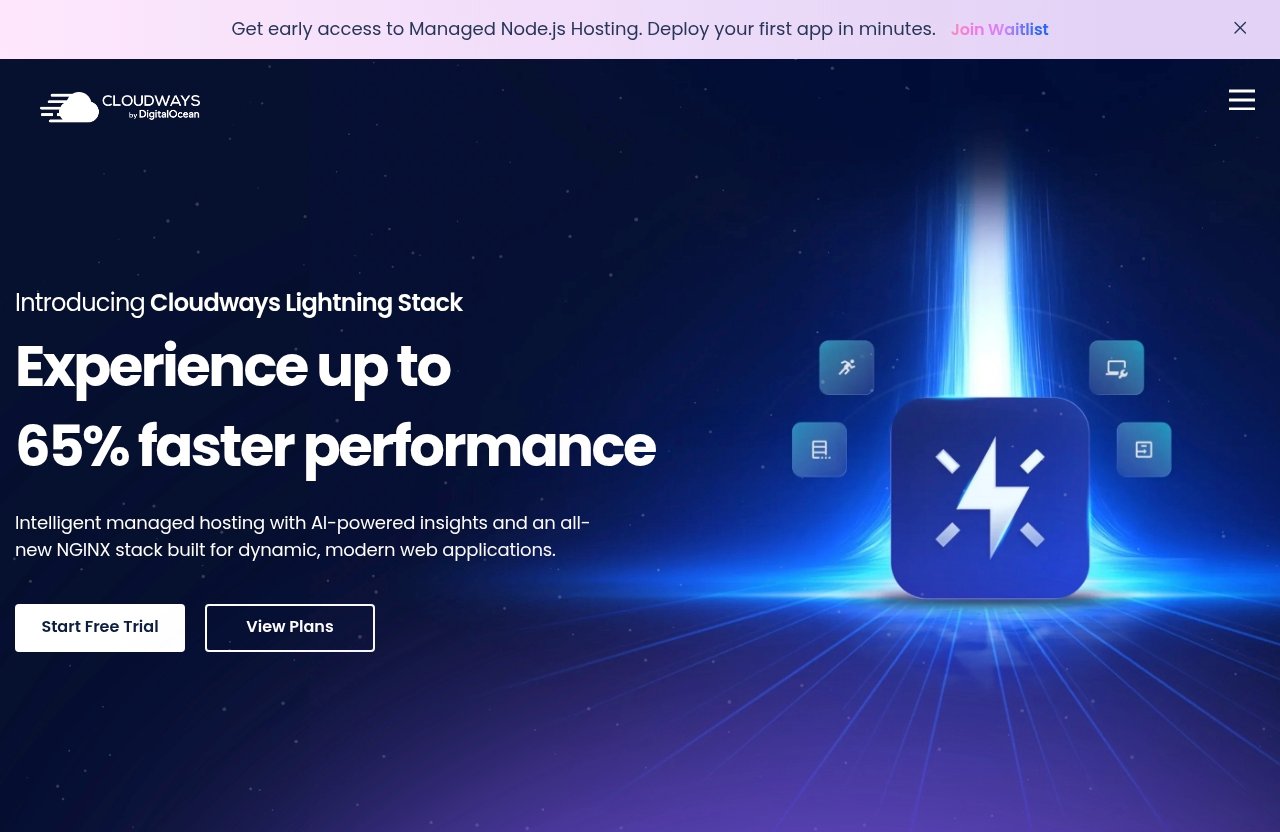
Cloudways is a managed cloud hosting platform. Instead of selling only one traditional hosting environment, Cloudways lets users host applications on cloud infrastructure from providers officially listed as DigitalOcean, Vultr, Linode, AWS, and GCE.
The main idea behind this Cloudways review 2026 is that Cloudways should be judged as a management layer on top of cloud hosting. You are not just buying “WordPress hosting” in the narrow shared-hosting sense; you are buying a platform that helps you run WordPress on cloud infrastructure with less manual server work.
Managed cloud hosting explained
Managed cloud hosting means the host handles much of the operational complexity of running a website on cloud infrastructure. In plain English, you get access to cloud hosting resources while the platform helps with setup, management, performance, security, support, and day-to-day hosting tasks.
With raw cloud hosting, you may need to configure server software, maintain services, handle security hardening, and troubleshoot infrastructure directly. With managed cloud hosting, the goal is to reduce that burden so site owners can focus more on WordPress, content, clients, or ecommerce operations.
This matters because WordPress performance is rarely about one magic feature. It is usually the result of infrastructure, caching strategy, server resources, theme quality, plugin discipline, database health, media optimization, and traffic patterns working together.
Cloudways does not remove every responsibility from the site owner. You still need to maintain WordPress, choose plugins carefully, and test your site. But it gives you a more managed environment than building everything yourself on a cloud server.
Flexible vs Autonomous for WordPress
Cloudways officially presents two product options on its homepage: Cloudways Flexible and Cloudways Autonomous. For WordPress buyers, the difference is important because it points to two different levels of control and management preference.
Cloudways Flexible is described as customizable managed hosting for WordPress. That positioning suggests it is aimed at users who want control over their managed hosting environment while still relying on Cloudways for the platform layer.
Cloudways Autonomous is described as fully managed WordPress hosting for sites. This option appears positioned for users who want a more managed WordPress experience and less involvement in the underlying hosting decisions.
For this Cloudways review 2026, the practical takeaway is simple: choose based on how much control you want. If you like tuning infrastructure choices and managing different projects, Cloudways Flexible may be the more natural path. If you want the most managed WordPress-oriented route, Cloudways Autonomous is the product to investigate closely.
Which users this platform is built for
Cloudways officially lists audience segments including SMBs, agencies, developers, ecommerce, bloggers, and publishers. That tells you a lot about the platform’s intended market.
It is not designed only for one-person beginner sites. It is also not only for developers who want full command-line control. Cloudways sits between those extremes, giving practical hosting management to people who need performance and flexibility but still value support and a dashboard.
For agencies, Cloudways can be appealing because client sites often vary in traffic, complexity, and resource needs. For developers, the appeal is the cloud hosting model and application support. For bloggers and publishers, the appeal is performance headroom. For ecommerce, the appeal is infrastructure that can better support performance-sensitive customer journeys.
A useful way to read this Cloudways review 2026 is to ask: “Do I need something more capable than shared hosting, but less manual than raw cloud administration?” If the answer is yes, Cloudways belongs on your shortlist.
Cloudways Pricing and Plans: Verified 2026 Facts
Pricing is one of the most important parts of any hosting decision, but it is also where reviews often become unreliable. For this Cloudways review 2026, I am keeping this section strictly limited to verified official facts provided for this article.
The supplied pricing page content appears as a 404 in the data available for this review. Because of that, I will not claim exact Cloudways hosting tier prices, server plan numbers, or package names beyond the verified official product and feature facts.
Official pricing context
The verified official product options are Cloudways Flexible and Cloudways Autonomous. Cloudways Flexible is described as customizable managed hosting for WordPress, while Cloudways Autonomous is described as fully managed WordPress hosting for sites.
The verified cloud providers listed are DigitalOcean, Vultr, Linode, AWS, and GCE. The verified supported applications include WordPress, Laravel, Magento, WooCommerce, and PHP.
The verified feature categories listed on the official homepage include Performance, Security, 24×7 Expert Support, Free Migration, and Free SSL. These are important buying signals, but they are not the same as verified tier-by-tier pricing.
There is also a verified official site note about Advanced Support: current price is $100/mo, new discounted price is $25/mo flat. That note should be read exactly as an official site note, not as a full hosting-plan price or a substitute for checking the live pricing page.
What is included in the platform
Based on the verified homepage facts, Cloudways includes several features WordPress buyers typically look for when evaluating managed hosting:
| Verified official item | Why it matters for WordPress buyers |
|---|---|
| Performance | Hosting speed and infrastructure quality affect user experience |
| Security | WordPress sites need protection at the hosting layer |
| 24×7 Expert Support | Help availability matters during technical issues |
| Free Migration | Reduces switching friction from another host |
| Free SSL | Supports HTTPS without a separate certificate purchase |
| WordPress support | Confirms WordPress is a core supported application |
| WooCommerce support | Useful for ecommerce WordPress stores |
This is enough to evaluate Cloudways as a managed cloud hosting platform, but not enough to compare exact monthly costs against every competitor. Any Cloudways pricing 2026 decision should include a live check of the official Cloudways pricing page before purchase.
What the pricing page does and does not verify
The pricing page source supplied for this article is a 404, so it does not verify exact current plan prices. That means this Cloudways review 2026 cannot responsibly publish plan tables with monthly server costs, storage limits, bandwidth allowances, or tier names that are not included in the verified facts.
That may be less convenient than a simple price chart, but it is more accurate. Hosting pricing can change, and cloud-based hosting platforms may vary by provider, resource level, and product path.
The right buying process is to use this review to decide whether Cloudways fits your use case, then confirm live costs directly on the official Cloudways site. When checking Cloudways pricing 2026, compare not only the monthly price but also support needs, migration requirements, SSL, expected traffic growth, and whether Flexible or Autonomous is the better fit.
Performance for WordPress Sites: What Matters Most
Cloudways performance is one of the main reasons WordPress buyers investigate the platform. The appeal is that managed cloud hosting can provide more scalable infrastructure than basic shared hosting while still giving users a managed experience.
That does not mean every WordPress site will automatically become fast just by moving to Cloudways. Performance depends on your theme, plugins, images, database, caching setup, traffic patterns, third-party scripts, and how the server is configured.
Speed stack and infrastructure
Cloudways gives users access to cloud infrastructure from verified providers including DigitalOcean, Vultr, Linode, AWS, and GCE. For WordPress buyers, that matters because infrastructure choice can affect performance potential, geographic fit, and scalability path.
The key distinction is that Cloudways is not merely a traditional shared host. It is a managed cloud hosting platform that lets you run WordPress on cloud infrastructure while using Cloudways’ management layer.
In practical hosting reviews, I look at performance through a few buyer-focused questions:
| Performance question | Why it matters |
|---|---|
| How quickly does the site respond under normal traffic? | Affects user experience and conversions |
| Can the site handle traffic spikes? | Important for campaigns, publishing, and ecommerce |
| Is the WordPress admin usable? | Slow admin panels hurt daily workflow |
| Are plugins and themes optimized? | Hosting cannot fix a bloated site alone |
| Is SSL included? | HTTPS is baseline for modern WordPress |
This Cloudways review 2026 treats performance as a system, not a single benchmark. Without verified official benchmark numbers in the supplied facts, it would be misleading to publish fake speed claims or universal load-time promises.
Scalability for traffic spikes
Scalability is where managed cloud hosting becomes especially relevant. If your WordPress site gets sudden traffic from search, email, social media, paid ads, or seasonal ecommerce activity, entry-level shared hosting can become limiting.
Cloudways is built around cloud infrastructure, which is generally a better conceptual fit for sites that need room to grow. The platform’s official Performance category supports that positioning, but buyers should still validate their own site after launch.
For bloggers and publishers, scalability matters when a post goes viral or rankings improve. For WooCommerce stores, it matters during launches, promotions, and holiday shopping periods. For agencies, it matters because client sites rarely grow in predictable ways.
The best way to evaluate Cloudways performance is to migrate or launch a realistic version of your site, test key pages, check admin responsiveness, and monitor behavior during normal and peak traffic periods. A host can provide the foundation, but your WordPress build still determines the final result.
Real-world performance expectations
A realistic expectation is that Cloudways can give WordPress users a stronger performance foundation than many basic shared setups, especially when the site is well built. However, it is not a cure for poor site architecture.
If your WordPress site has too many heavy plugins, oversized images, unoptimized page builders, or excessive third-party scripts, changing hosts may only partially help. You should pair hosting improvements with site optimization.
For this Cloudways review 2026, I would prioritize Cloudways for performance-sensitive sites such as:
- WooCommerce stores where page speed affects revenue
- Publishers with growing organic traffic
- Agencies managing client sites that need consistent hosting quality
- SMB websites where uptime and responsiveness support lead generation
- Developers who want more control than standard managed WordPress hosting
If your site is tiny, static, and low-traffic, Cloudways may still work, but the performance benefits may not justify the added platform complexity.
Official website · Latest pricing & offers
Ease of Use: Dashboard, Setup, and Daily Management
Cloudways is easier than self-managing a raw cloud server, but it is more involved than the simplest shared hosting products. That middle-ground experience is one of the most important tradeoffs in this Cloudways review 2026.
The platform is built for users who want managed hosting controls without needing to personally maintain every server-level component. Still, WordPress buyers should expect a learning curve if they have only used basic cPanel-style hosting before.
Onboarding and migrations
Cloudways officially lists Free Migration as a feature. That is meaningful because switching hosts is one of the biggest friction points for WordPress users.
Migration matters for several reasons. You need to move files, databases, media, plugins, themes, DNS settings, SSL, and sometimes email-related records. A small mistake can cause downtime, broken images, redirect issues, or login problems.
Cloudways free migration helps reduce that burden, although site owners should still prepare carefully. Before any migration, I recommend taking a complete backup, documenting DNS records, checking plugin compatibility, and testing the migrated site before pointing live traffic.
For buyers reading this Cloudways review 2026, migration should not be treated as an afterthought. The cleaner your current WordPress site is, the smoother the move is likely to be.
Server and application management
Cloudways supports WordPress as an official application, along with Laravel, Magento, WooCommerce, and PHP. For WordPress users, this means the platform is not a generic file host; it is built to run common web applications.
Daily management typically involves thinking in terms of servers, applications, SSL, performance settings, backups, domains, and support interactions. That is more powerful than basic shared hosting, but it also means there are more decisions to make.
Agencies and developers may appreciate this structure because it supports multiple projects and different application types. Bloggers and SMB owners may appreciate it once they understand the dashboard, but the first few days can require some orientation.
This is where Cloudways WordPress hosting differs from ultra-simple beginner hosts. You gain flexibility and cloud infrastructure access, but you also take on more responsibility for understanding your hosting environment.
Where beginners may need help
Beginners may need help choosing between Cloudways Flexible and Cloudways Autonomous, selecting a cloud provider, understanding resource usage, and configuring domains or SSL correctly. These tasks are manageable, but they are not always obvious to a first-time site owner.
The good news is that Cloudways officially lists 24×7 Expert Support and Free Migration. Those features matter most for users who are comfortable learning but want a safety net when something is unclear.
If you are a beginner with a serious WordPress project, Cloudways can still make sense. If you are a beginner with a casual hobby site and no performance needs, a simpler host may be a better starting point.
My practical advice from this Cloudways review 2026 is to match ease of use to business importance. The more your site matters to revenue, leads, publishing, or client work, the more worthwhile a slightly more advanced hosting platform can become.
Support, Security, and Reliability
Support, security, and reliability often matter more than small price differences. When a WordPress site breaks, slows down, or has an SSL issue, the quality of your hosting support can determine how painful the incident becomes.
Cloudways support is officially positioned as 24×7 Expert Support. The homepage also lists Security, Free SSL, and Free Migration as verified features.
24×7 expert support
Cloudways 24×7 expert support is one of the platform’s most important buyer-facing features. WordPress issues do not wait for business hours, especially if you run ecommerce, serve international traffic, or manage client websites.
Support value is not just about availability. It is about whether the host understands the platform, the hosting stack, and common application issues well enough to help you move forward.
For agencies, support can protect client relationships. For ecommerce stores, it can reduce revenue risk during technical problems. For bloggers and publishers, it can help resolve issues before traffic opportunities are wasted.
This Cloudways review 2026 does not claim a universal support experience for every customer, because support quality can vary by case complexity and expectations. But the verified availability of 24×7 expert support is a real advantage compared with hosting options where help is limited or less specialized.
Built-in security features
Cloudways officially lists Security as a homepage feature category. For WordPress users, hosting-layer security is important because WordPress sites are common targets for automated attacks, weak plugin vulnerabilities, and login abuse.
Security should be viewed as shared responsibility. Cloudways can provide a hosting security foundation, but you still need to keep WordPress core, themes, and plugins updated. You should also use strong passwords, limit unnecessary admin accounts, and avoid abandoned plugins.
Cloudways free SSL is also verified. SSL is essential for HTTPS, user trust, browser compatibility, ecommerce checkout confidence, and modern SEO expectations.
In this Cloudways review 2026, I would treat free SSL as a baseline feature, not a luxury. Any serious WordPress site should run over HTTPS from day one.
Backup, SSL, and staging basics
The supplied official facts verify Free SSL, Free Migration, Security, Performance, and 24×7 Expert Support. They do not provide detailed backup or staging specifications in the data given for this article, so I will not claim exact backup schedules or staging features here.
That said, WordPress buyers should always evaluate backup and staging workflows before purchasing any host. Backups protect you from plugin failures, bad updates, content mistakes, and security incidents. Staging helps you test changes before pushing them live.
When comparing Cloudways reliability with other hosting options, ask practical questions:
- How will I restore the site if an update breaks it?
- How quickly can support help if something goes wrong?
- Is SSL included and easy to manage?
- What migration help is available?
- Does the platform fit my technical comfort level?
Cloudways reliability should be evaluated through the full operating experience: infrastructure, support access, security features, migration quality, and your own WordPress maintenance habits.
Best Use Cases for Cloudways in 2026
Cloudways officially positions itself for SMBs, agencies, developers, ecommerce, bloggers, and publishers. That range is broad, but it makes sense because managed cloud hosting can serve different WordPress needs depending on the site.
This Cloudways review 2026 breaks those use cases down by buyer type so you can decide whether the platform is a strong match or unnecessary complexity.
Agencies and client sites
Cloudways for agencies is one of the strongest use cases. Agencies often manage many WordPress sites with different traffic levels, plugin stacks, budgets, and client expectations.
A managed cloud hosting platform can help agencies standardize hosting quality while still giving flexibility across projects. Free migration can also be useful when bringing existing client sites into a more manageable hosting environment.
The main agency benefit is operational control. Instead of relying on whatever cheap host a client previously selected, an agency can move sites to a platform better aligned with performance, security, and support needs.
The tradeoff is that agency teams need internal processes. Someone should understand the dashboard, monitor resource needs, document site setups, and decide when a client needs a different configuration.
Developers and freelancers
Cloudways for developers is appealing because it supports more than WordPress. Officially supported applications include Laravel, Magento, WooCommerce, and PHP, which gives developers room to work beyond a single CMS.
Developers often want more control than basic managed WordPress hosting provides, but they may not want to spend unpaid time maintaining raw infrastructure for every client. Cloudways fits that middle ground.
Freelancers can also benefit when they build sites for clients who need better hosting but cannot manage technical details themselves. The freelancer can set up the environment, use migration help where relevant, and hand over a more professional hosting foundation.
For this Cloudways review 2026, I would say developers should compare Cloudways against both ends of the market: simpler managed WordPress hosts and self-managed cloud servers. Cloudways is most attractive when you want flexibility without full infrastructure maintenance.
Blogs, publishers, and ecommerce
Bloggers and publishers can benefit from Cloudways when content growth starts to pressure basic hosting. If your traffic is increasing, your site has a large media library, or your publishing calendar creates traffic bursts, managed cloud hosting becomes more relevant.
Ecommerce is another strong fit. WooCommerce is officially listed as a supported application, and ecommerce sites are more performance-sensitive than simple blogs. Slow pages, checkout friction, and downtime can directly affect revenue.
SMBs should consider Cloudways when their website supports lead generation, bookings, sales, or customer trust. A business-critical WordPress site deserves more careful hosting than a low-stakes personal project.
Cloudways may be overkill for a brand-new blog with no traffic and a very tight budget. But for serious publishers, growing stores, and business sites, Cloudways WordPress hosting is a credible option to evaluate.
Cloudways Pros and Cons: Honest Buyer Tradeoffs
No host is perfect for everyone. The useful question is not “Is Cloudways good?” but “Is Cloudways the right tradeoff for this WordPress site?”
This Cloudways review 2026 looks at the tradeoff honestly: you get managed cloud hosting flexibility, verified support and migration features, and cloud provider choice, but you also accept more complexity than basic shared hosting.
Pros that stand out
The biggest Cloudways strengths are its managed cloud hosting model, WordPress support, cloud provider options, and practical platform features such as Free Migration, Free SSL, Security, Performance, and 24×7 Expert Support.
Here are the main advantages:
| Pro | Why it matters |
|---|---|
| Managed cloud hosting | More flexible than basic shared hosting |
| Multiple cloud providers | DigitalOcean, Vultr, Linode, AWS, and GCE are officially listed |
| Cloudways Flexible | Customizable managed hosting path for WordPress |
| Cloudways Autonomous | Fully managed WordPress hosting path for sites |
| Free migration | Makes switching easier |
| Free SSL | Helps secure WordPress with HTTPS |
| 24×7 expert support | Important for urgent technical issues |
| Broad app support | WordPress, WooCommerce, Laravel, Magento, and PHP are listed |
Cloudways performance potential is also a major reason to consider the platform, especially for sites that have outgrown entry-level hosting.
Tradeoffs to understand
The first tradeoff is complexity. Cloudways is simpler than managing a raw cloud server, but it is not as basic as the cheapest shared hosting plans.
The second tradeoff is pricing evaluation. Because exact hosting tier prices are not verified in the supplied source data, buyers need to check live Cloudways pricing 2026 details before purchase. That is not a negative by itself, but it means you should compare value carefully.
The third tradeoff is responsibility. Cloudways can help with hosting management, but you still need to maintain WordPress properly. Poor plugins, bloated themes, and ignored updates can undermine even a strong hosting environment.
The fourth tradeoff is fit. If your site does not need scalability, performance headroom, or cloud flexibility, Cloudways may be more platform than you need.
How to decide if the value is right
To decide whether the value is right, compare Cloudways against the cost of poor hosting. For a business site, slow performance, downtime, weak support, or difficult migrations can cost more than the monthly hosting bill.
Ask yourself these questions:
- Is my WordPress site important to revenue, leads, clients, or publishing growth?
- Have I outgrown shared hosting?
- Do I need better performance potential?
- Would 24×7 expert support reduce risk?
- Do I want managed cloud hosting without self-administering servers?
- Am I willing to learn a more capable dashboard?
- Have I checked live Cloudways pricing 2026 details?
If most answers are yes, Cloudways deserves serious consideration. If most answers are no, a simpler host may be more appropriate.
Cloudways vs Other Hosting Options
Cloudways competes with several broad categories of hosting: shared hosting, traditional managed WordPress hosting, VPS hosting, and raw cloud servers. This section avoids invented competitor specifications and focuses on decision logic.
The best Cloudways alternative depends on what you are trying to optimize for: lowest cost, simplicity, developer control, managed support, or performance scalability.
When Cloudways beats shared hosting
Cloudways is more compelling than shared hosting when your site needs better performance potential, more scalability, or a more serious management layer. Shared hosting can be fine for small, low-traffic sites, but it is often not the best long-term fit for growing WordPress projects.
Cloudways gives users managed cloud hosting and access to cloud providers officially listed as DigitalOcean, Vultr, Linode, AWS, and GCE. That model is fundamentally different from putting many small sites into a basic shared environment.
This Cloudways review 2026 would favor Cloudways over shared hosting for growing publishers, WooCommerce stores, agencies, and SMBs that depend on their website. The more business value your site carries, the more hosting quality matters.
When a simpler host may be better
A simpler host may be better if you are launching your first WordPress site, have almost no traffic, and want the least technical experience possible. Cloudways is manageable, but it still asks you to understand hosting concepts beyond a basic beginner plan.
A simpler host may also make sense if you do not need cloud provider choice, scaling flexibility, or application-level control. For a small hobby blog, the cheapest adequate hosting may be enough.
The best Cloudways alternative for beginners is often not the most powerful host; it is the one they can operate confidently. Hosting that you do not understand can create its own problems.
How to compare by use case
Compare Cloudways by use case instead of chasing generic “best host” claims. A WooCommerce store, a local business site, a developer portfolio, and a media publisher do not all need the same hosting setup.
Use this framework:
| Use case | Cloudways fit |
|---|---|
| New hobby blog | Possibly overkill |
| Growing content site | Strong fit if performance matters |
| WooCommerce store | Strong fit to evaluate |
| Agency client sites | Strong operational fit |
| Developer projects | Strong fit if managed cloud control is useful |
| Simple brochure site | Depends on budget and support needs |
| Raw infrastructure project | Self-managed cloud may offer more direct control |
For this Cloudways review 2026, the decision is not about whether Cloudways is universally better than every alternative. It is about whether managed cloud hosting is the right operating model for your WordPress site.
Official website · Latest pricing & offers
FAQ
Is Cloudways good for WordPress in 2026?
Yes, Cloudways is a strong fit for WordPress users who want managed cloud hosting, easier server management, and room to scale. It is especially worth considering when performance, support, migration help, and infrastructure flexibility matter.
This Cloudways review 2026 recommends it most for serious WordPress sites rather than very small projects where the lowest possible cost is the main priority.
Is Cloudways beginner-friendly?
Cloudways is more beginner-friendly than managing raw cloud servers, but it is more technical than basic shared hosting. Beginners can use it, especially with support and migration help, but they should expect to spend time learning the dashboard and hosting concepts.
If you want maximum simplicity for a low-stakes site, a simpler host may be easier. If you are building a serious WordPress site and willing to learn, Cloudways can be approachable.
Does Cloudways include free migration?
Yes. The official Cloudways homepage lists Free Migration as a feature.
Cloudways free migration is useful for WordPress users moving from another host because migrations can involve files, databases, domains, SSL, plugins, and testing.
Does Cloudways offer 24/7 support?
Yes. The official Cloudways homepage lists 24×7 Expert Support.
Cloudways 24×7 expert support is one of the key reasons buyers consider the platform, especially for business sites, ecommerce stores, agencies, and publishers that cannot afford long support delays.
What kind of sites is Cloudways best for?
Cloudways is officially positioned for SMBs, agencies, developers, ecommerce, bloggers, and publishers. It is especially well suited to performance-sensitive WordPress sites that need managed cloud hosting without full server self-management.
It may be more than necessary for very small, low-traffic sites with minimal technical or business requirements.
Final Recommendation: Should You Use Cloudways for WordPress?
Cloudways is a strong WordPress hosting candidate if you want managed cloud hosting, better performance potential than basic shared hosting, and practical support features such as free migration, free SSL, security, and 24×7 expert support.
This Cloudways review 2026 does not recommend Cloudways for everyone. It recommends Cloudways for buyers whose site is important enough to justify a more capable hosting platform.
Best-fit summary
Cloudways is best for WordPress users who want control and scalability without self-managing infrastructure. Agencies, developers, publishers, ecommerce owners, and serious SMBs are the clearest fit.
Cloudways Flexible is the option to examine if you want customizable managed hosting for WordPress. Cloudways Autonomous is the option to examine if you want fully managed WordPress hosting for sites.
If you are running a tiny personal site, a basic shared host may be enough. If you are running a business-critical WordPress site, Cloudways belongs on your shortlist.
Purchase decision checklist
Before signing up, use this checklist:
- Confirm whether Cloudways Flexible or Cloudways Autonomous fits your needs.
- Check the live official Cloudways pricing 2026 page before purchase.
- Verify your preferred cloud provider option: DigitalOcean, Vultr, Linode, AWS, or GCE.
- Plan your migration and confirm what you need moved.
- Make sure Cloudways free SSL covers your HTTPS needs.
- Consider how important Cloudways support is for your site.
- Review your WordPress theme, plugins, media, and database before launch.
- Test site speed, admin responsiveness, and key pages after moving.
- Decide whether the added flexibility is worth the learning curve.
The right host is the one that matches your site’s risk, growth, budget, and technical comfort level.
Affiliate CTA
If Cloudways sounds like the right fit, you can review the current plans and product options on the official site here: Cloudways. This is an affiliate link, meaning Stack & Speed may earn a commission if you sign up, at no extra cost to you.
My final take from this Cloudways review 2026: choose Cloudways if you want managed cloud hosting for a serious WordPress site and you are willing to trade a little extra learning for more performance headroom, flexibility, and support access.
Related Reading
- Cloudways Login Guide and Dashboard Tour for 2026
- Cloudways Complaints in 2026: What Users Should Know Before Signing Up
- Cloudways for Developers: 2026 Guide
