
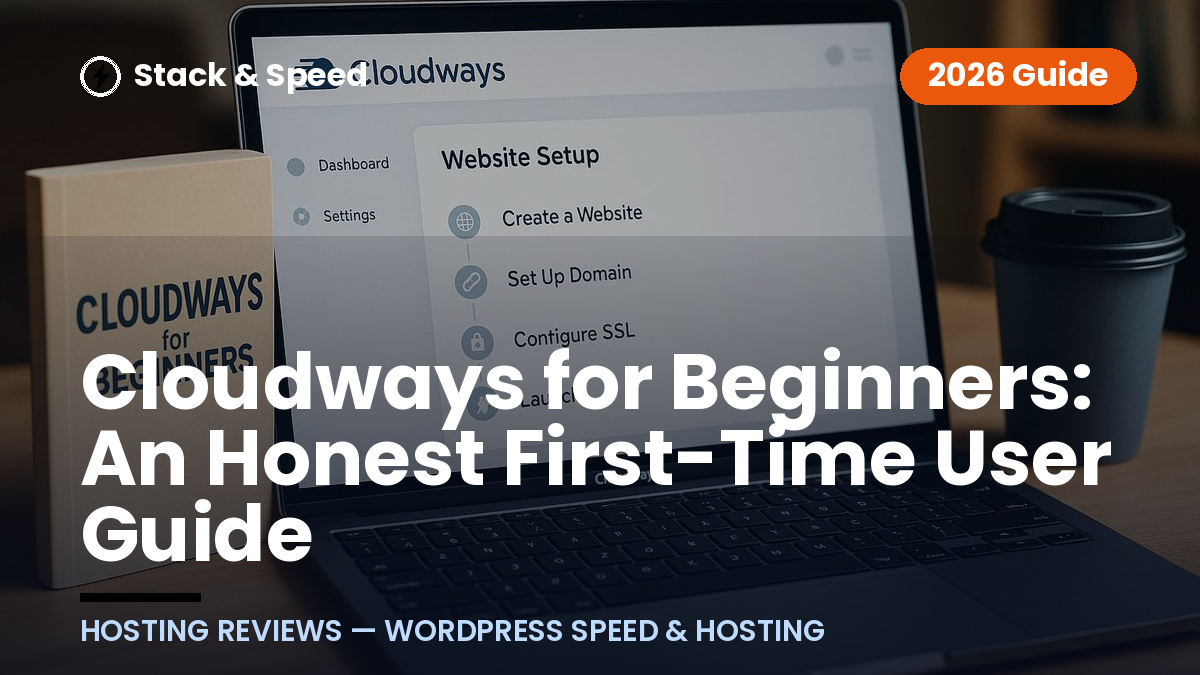
If you are researching cloudways for beginners, the short version is this: Cloudways is easier than managing a raw cloud server, but it is not quite as instantly simple as the most basic shared hosting control panel. It sits in the middle, giving beginners a managed cloud hosting experience with a dashboard that removes much of the server work while still asking you to learn a few new concepts.
Affiliate disclosure: Stack & Speed may earn a commission if you sign up through our Cloudways link, at no extra cost to you. This guide is written to help you decide whether Cloudways fits your comfort level, not to push you into a tool you do not need.
Official website · Latest pricing & offers
Quick Answer: Is Cloudways Easy for Beginners?
Short Verdict in One Paragraph for Cloudways for Beginners
Cloudways can be beginner-friendly if you are comfortable following a guided dashboard, reading short help docs when needed, and learning a few hosting terms along the way. The main appeal of cloudways for beginners is that it simplifies cloud hosting, so you do not have to configure a server from scratch. The main catch is that it still feels more “hosting-focused” than a very basic shared hosting account, especially when you first see words like server, application, provider, SSL, and domain mapping.
Who Cloudways Is Best For
Cloudways is best for beginners who want more control and room to grow than basic shared hosting usually offers, without managing a raw VPS or cloud server themselves. It is especially appealing if you are starting a WordPress site, a small business website, or a WooCommerce store and want managed hosting that handles important technical layers behind the scenes.
It also suits users who are willing to spend an hour learning the dashboard instead of expecting everything to feel familiar in the first five minutes. If you are comparing options and wondering, “is Cloudways easy to use?”, the fair answer is yes for motivated beginners, but not completely effortless.
Who May Find It Slightly Overwhelming
You may find Cloudways slightly overwhelming if you have never connected a domain name, never heard of SSL, or feel nervous when a dashboard includes multiple settings menus. That does not mean you cannot use it, but your first setup may require patience.
The cloudways learning curve is mostly about understanding the structure: you launch a server, install or manage an application, connect your domain, and secure the site with SSL. Once those pieces make sense, the platform feels much more approachable.
What Cloudways Is and Why Beginners Consider It
Managed Cloud Hosting vs. Shared Hosting
Cloudways is a managed cloud hosting platform designed to simplify cloud hosting. In plain English, that means Cloudways gives you access to cloud infrastructure through a friendlier interface, while handling many of the server management tasks that would normally feel too technical for a beginner.
Traditional shared hosting usually places many websites on a shared environment with a very simplified dashboard. Cloud hosting is generally more flexible, but raw cloud hosting can be intimidating because you may need to configure and maintain the server yourself. Cloudways for beginners works as a middle ground: more capable than the simplest shared hosting, but much easier than managing cloud infrastructure directly.
Why the Platform Appeals to WordPress Users
Cloudways officially supports WordPress, Laravel, Magento, WooCommerce, and PHP. For many first-time site owners, WordPress is the main reason to consider it because they want a site that can grow beyond a simple starter blog.
For WordPress users, the appeal is practical. You get managed cloud hosting without needing to become a system administrator. That is why searches like cloudways for wordpress beginners and “cloudways review for beginners” are common among people who want better hosting but do not want to drown in technical setup.
Cloudways also lists cloud providers including DigitalOcean, Vultr, Linode, AWS, and GCE. As a beginner, you do not need to master the differences on day one, but it helps to know that Cloudways is giving you a simplified way to use infrastructure from established cloud providers.
What ‘Managed’ Means for First-Timers
“Managed” means the hosting platform takes care of many behind-the-scenes server responsibilities so you can focus more on your website. It does not mean every decision disappears, but it does reduce the amount of technical work you need to do yourself.
Cloudways highlights features such as Performance, Security, 24×7 Expert Support, Free Migration, and Free SSL on its official homepage. For a first-time user, these matter because they reduce the number of separate tools and manual tasks you need to understand immediately.
This is where cloudways for beginners becomes appealing: you still get a cloud-based hosting setup, but with a dashboard, support, and managed features designed to make the experience less intimidating.
How the Cloudways Dashboard Feels in Real Use
Main Dashboard Areas Beginners Will See
The Cloudways dashboard is click-based and generally organized around the things you need to manage: servers, applications, and account settings. It does not feel like typing commands into a black terminal window, which is one of the biggest reasons Cloudways feels more accessible than raw cloud hosting.
That said, the cloudways dashboard for beginners can still feel unfamiliar at first. A beginner may wonder why there is both a “server” and an “application,” or which area they should open to manage WordPress. This is normal, and it becomes clearer after you understand the basic structure.
Think of the server as the space where your site lives, and the application as the actual website software installed on that space. If you are using WordPress, your WordPress install is the application.
Server, Application, and Team Management
Cloudways separates server-level settings from application-level settings. Server settings relate to the hosting environment itself, while application settings relate more directly to your individual website.
This separation is useful, but it can be slightly confusing for beginners. For example, if you want to manage your WordPress site, you may need to think in terms of the application. If you want to understand hosting resources or server tools, you are usually looking at the server side.
There are also team management features for people working with developers, agencies, or collaborators. A solo beginner may not need these right away, but it is helpful that they exist if your website becomes a bigger project later.
What Feels Intuitive vs. What Feels Technical
The intuitive part is that most actions happen through menus, forms, and toggles rather than code. Launching a new website, finding your application, and accessing common settings are designed to be handled through the interface.
The technical part is the vocabulary. Terms like cloud provider, server, application, SSL certificate, staging, scaling, and migration may be new. The good news is that cloudways for beginners does not require you to master every setting immediately.
In real use, I would describe the dashboard as clean enough for beginners, but not “childproof.” It rewards a little curiosity and patience.
Step-by-Step: Typical First-Time Setup on Cloudways
Create an Account and Choose a Cloud Provider
A typical cloudways setup for beginners starts with creating an account. The official homepage shows a Start Free entry point, which is helpful if you want to explore the platform before fully committing.
During setup, you may be asked to choose from supported cloud providers such as DigitalOcean, Vultr, Linode, AWS, or GCE. This can be the first moment where beginners pause, because cloud provider names may not mean much if you are new to hosting.
The simplest way to approach this is not to overthink every technical detail at the beginning. Focus on choosing a sensible starting point, then learn the platform before making advanced decisions.
Launch a Server and Application
After choosing a provider, the next step is launching a server and application. This is where Cloudways starts to feel much easier than raw cloud hosting because you are not manually building a server line by line.
For a WordPress beginner, this usually means selecting WordPress as the application and letting the platform create the environment for it. Cloudways also supports other applications such as Laravel, Magento, WooCommerce, and PHP, but most non-technical beginners will likely start with WordPress or WooCommerce.
This part of cloudways for beginners is one of the more reassuring steps because it feels guided. You make selections, confirm them, and let the platform handle the setup process.
Connect the Domain and Enable SSL
Domain mapping and SSL are often the first slightly technical tasks beginners encounter. Domain mapping simply means pointing your domain name, such as yoursite.com, to the website hosted on Cloudways. SSL is the security certificate that helps your site load over HTTPS.
Cloudways lists Free SSL as an official feature, which is useful because beginners do not need to source SSL separately. Still, activating SSL and making sure the domain is pointed correctly may require following documentation carefully.
This is the stage where many first-time users slow down. If anything feels unclear, Cloudways support and documentation are worth using early rather than guessing.
What Happens After Launch
After launch, you can log in to your website application, install your theme, add plugins if you are using WordPress, and begin building pages. At this point, the hosting setup becomes less visible and your website work takes over.
The first day is mostly about getting comfortable. You do not need to explore every advanced tool immediately. For cloudways for beginners, the best approach is to launch one site, connect the domain, enable SSL, and confirm everything loads correctly before touching deeper settings.
What Beginners Usually Find Easy
One-Click Style Server Launching
One of the easiest parts of Cloudways is that server and application launching is handled through a guided interface. You do not need to manually install operating system packages or configure a server from scratch.
This is a major reason Cloudways is beginner friendly compared with unmanaged cloud hosting. You still make decisions, but the platform wraps those decisions in a more approachable dashboard.
If your main fear is “I do not know how to manage a server,” cloudways for beginners removes a lot of that pressure.
Free Migration and SSL
Cloudways officially lists Free Migration and Free SSL among its homepage features. For beginners, both are meaningful.
Migration matters if you already have a site elsewhere and do not want to move it manually. SSL matters because a secure HTTPS site is expected by visitors and browsers. Having these available through the platform reduces the number of separate tasks you need to handle.
This is one reason a cloudways review for beginners should not focus only on the dashboard. The support around setup tasks can be just as important as the interface itself.
Backups, Scaling, and Support
Cloudways is built around managed hosting, which means beginners are not left entirely alone to figure out the hosting environment. The official homepage lists 24×7 Expert Support, which is especially useful when you hit a setup question outside your comfort zone.
Scaling is another area where cloud hosting can be useful as a site grows. As a beginner, you do not need to obsess over scaling immediately, but it is reassuring to know the platform is designed with growth in mind.
The easiest way to benefit from cloudways for beginners is to use the managed features instead of trying to do everything manually.
Official website · Latest pricing & offers
What Beginners May Find Confusing
Cloud Terminology and Server Concepts
The biggest beginner challenge is terminology. Shared hosting often hides most server language, while Cloudways shows more of it because it is built around managed cloud hosting.
Terms like provider, server, application, bandwidth, storage, SSL, and scaling may appear before you fully understand them. This does not make Cloudways bad for beginners, but it does mean the first hour can feel like learning a new map.
If you expect a completely stripped-down dashboard with almost no choices, cloudways for beginners may feel more advanced than expected.
Advanced Settings You Can Ignore at First
Cloudways includes tools and settings that many beginners do not need immediately. This is not a problem as long as you do not feel pressured to configure everything on day one.
A good beginner rule is simple: if your site is live, your domain works, SSL is enabled, and you can access your website admin area, you are already through the most important starting steps.
The extra settings are there for when you grow into them. Part of making cloudways for beginners manageable is knowing what to ignore at first.
When You Might Need Support
You might need support when connecting your domain, activating SSL, understanding migration, or choosing between settings that look similar. These are normal beginner questions.
Cloudways support and documentation are helpful resources because they can reduce trial and error. Instead of changing random settings, use support when you are unsure.
This is especially important if your website is for a business. A cautious, supported setup is better than rushing through technical steps you do not understand.
Cloudways Pricing and Trial Expectations
What the Official Site Verifies
The official Cloudways homepage shows a Start Free entry point, which is useful for beginners who want to test the dashboard before deciding. The homepage also mentions Cloudways Flexible, described as customisable managed hosting for WordPress, and Cloudways Autonomous, described as fully managed WordPress hosting for sites.
Cloudways also mentions Cloudways AI Copilot and Cloudways Managed AI Agents on the official homepage. These may be useful areas to explore later, but a beginner should first focus on core hosting setup: launching the site, connecting the domain, and enabling SSL.
The supplied official homepage information also shows an Advanced Support offer with a current price of $100/mo and a discounted price of $25/mo flat. Since verified detailed plan prices are not provided here, this guide will not guess or invent monthly hosting plan pricing.
Why Pricing Can Feel Different Across Providers
Cloudways works with multiple cloud providers, including DigitalOcean, Vultr, Linode, AWS, and GCE. Because different providers can have different structures, pricing expectations may feel different from traditional shared hosting.
For beginners, the important point is not to compare only the lowest visible number. You should evaluate what is included, how comfortable you feel using the dashboard, and whether managed hosting support saves you time.
When looking at cloudways for beginners, value is about ease, support, flexibility, and growth potential—not just the cheapest starting cost.
How to Evaluate Value as a Beginner
Ask yourself three questions before signing up:
| Beginner Question | Why It Matters |
|---|---|
| Do I want managed cloud hosting instead of basic shared hosting? | Cloudways is built for users who want more control and growth potential. |
| Am I willing to learn a new dashboard? | The platform is friendly, but there is still a learning curve. |
| Will support, migration, and SSL help me? | These features can reduce beginner friction during setup. |
If you want to explore the platform directly, you can start from the official Cloudways site through this Cloudways link. Take your time inside the dashboard and judge whether the workflow feels comfortable for your first site.
Cloudways for Beginners vs. Traditional Shared Hosting
Ease of Use
Traditional shared hosting can feel simpler at the very beginning because it often hides more technical choices. For someone creating their first personal website, that simplicity can be comforting.
Cloudways is not difficult, but it exposes more hosting structure. You will see servers, applications, providers, and settings that basic shared hosting may not emphasize.
So, is Cloudways easy to use? For many beginners, yes—but it is easiest for people who want to learn a little rather than avoid hosting concepts entirely.
Performance and Reliability
Cloudways is positioned as managed cloud hosting, and the official homepage highlights Performance and Security as features. A beginner does not need to understand all the technical details behind that positioning to appreciate the purpose: the platform is designed for users who want managed hosting with stronger growth potential than a very basic entry-level setup.
Traditional shared hosting may be enough for small, simple sites. But if you are planning a business site, content project, or store that may grow, cloudways for beginners can make sense because it gives you a more scalable foundation.
Avoid thinking of this as “simple vs. complicated.” It is more accurate to think of it as “most basic” vs. “more flexible.”
Room to Grow
Room to grow is one of the strongest reasons beginners consider Cloudways. You may start with one WordPress site today, then later need better control, more resources, or additional applications.
Cloudways supports WordPress, WooCommerce, Magento, Laravel, and PHP, which gives it flexibility beyond a single beginner website. You may never need all of that, but it shows the platform is not only for tiny starter sites.
This is where cloudways for beginners becomes a long-term decision. You are choosing a platform you can grow into, not just the simplest possible first step.
Best Beginner Use Cases for Cloudways
Personal Blogs and Content Sites
Cloudways can work well for personal blogs and content sites when the owner wants a stronger hosting foundation from the start. If you plan to publish regularly, build traffic, and treat your site seriously, managed cloud hosting can be a smart choice.
However, if your goal is only to test blogging casually with the least possible setup, basic shared hosting may feel easier. The better fit depends on how much you care about growth and control.
For content creators willing to learn, cloudways for beginners offers a good balance of usability and flexibility.
Small Business WordPress Sites
Small business WordPress sites are one of the clearest beginner use cases. A business owner usually wants a site that loads reliably, supports HTTPS, and can grow without needing a full technical team.
Cloudways managed hosting can be attractive because it gives you support, Free SSL, and a dashboard that is more approachable than raw cloud hosting. You still may need help with domain setup or WordPress design, but the hosting side is less intimidating than managing a server yourself.
For a beginner business owner, the key question is not whether every setting is obvious. It is whether the platform helps you launch and maintain your site without constant technical stress.
WooCommerce Starter Stores
Cloudways officially supports WooCommerce, which makes it relevant for beginners building an online store. WooCommerce sites can become more demanding than simple blogs because they handle products, carts, checkout pages, and customer activity.
A WooCommerce beginner should still move carefully. You need to understand your store setup, payment tools, security basics, and backups. Hosting is only one part of the larger store workflow.
That said, cloudways for beginners can be a practical option if you want managed cloud hosting for a store that may grow beyond a small starter project.
Tips to Make Cloudways Easier on Day One
Start With One Website Only
The best way to avoid overwhelm is to launch one website first. Do not create multiple applications, test several providers, or explore every advanced setting before you understand the basics.
Your first goal should be simple: create the site, connect the domain, enable SSL, and confirm the site loads. Once that is done, you can learn the rest gradually.
This keeps cloudways for beginners from feeling like too much at once.
Use Support and Documentation Early
Use support and documentation before frustration builds. If domain mapping does not make sense, or SSL does not activate the way you expected, look up the official guidance or contact support.
Cloudways lists 24×7 Expert Support, and beginners should see that as part of the value. You are not expected to know every hosting concept immediately.
A good beginner habit is to ask for help before making random changes. That protects your site and helps you learn faster.
Ignore Advanced Tools Until You Need Them
Cloudways includes advanced areas that may be useful later, but you do not need to master them on day one. Beginners often make hosting harder by trying to understand every menu immediately.
Focus first on the essentials:
| Day-One Priority | Beginner Goal |
|---|---|
| Launch application | Get your website created |
| Connect domain | Make your real domain point to the site |
| Enable SSL | Secure the site with HTTPS |
| Log in to WordPress | Start building your pages |
| Use support when stuck | Avoid guessing on technical tasks |
This simple approach makes cloudways for beginners much less intimidating.
Official website · Latest pricing & offers
FAQ
Is Cloudways Good for Beginners?
Yes, Cloudways can be good for beginners, especially if you want managed cloud hosting without managing a raw server yourself. It is more beginner-friendly than direct VPS or cloud hosting, but it has a learning curve compared with very simple shared hosting dashboards.
What Are the Cons of Cloudways?
The main beginner cons are unfamiliar cloud terminology, more settings than entry-level shared hosting, and a setup process that can feel technical at first. Domain mapping and SSL are common points where new users may need documentation or support.
What Is the Best Cloud Hosting for Beginners?
The best cloud hosting for beginners depends on what you value most. If you want the simplest possible interface, a very basic host may feel easier at first. If you want managed cloud hosting with support, flexibility, and room to grow, Cloudways is a strong option to consider.
Is Cloudways a Pakistani Company?
That is a company background question rather than a beginner-use question. Since the verified product facts provided for this article do not confirm company origin details, the safest answer is to check Cloudways’ official About page or company information directly.
Final Verdict: Should a Beginner Choose Cloudways?
The Best-Case Scenario
The best-case scenario for cloudways for beginners is a user who wants more than basic shared hosting but does not want to manage cloud infrastructure manually. If you are building a WordPress site, business website, content project, or WooCommerce store, Cloudways can be a comfortable step up.
The dashboard is not perfect for absolute novices, but it is far more approachable than raw cloud hosting. Once you understand servers, applications, domains, and SSL, the platform starts to feel logical.
The Trade-Offs
The trade-off is that Cloudways asks you to learn a little. It is not the most stripped-down hosting experience, and the dashboard includes terms that may be unfamiliar at first.
Domain mapping and SSL can be the first slightly technical hurdles. Support and documentation help, but you should expect a short adjustment period rather than a completely effortless setup.
If you want to evaluate it yourself, the official site’s Start Free entry point makes it easy to explore Cloudways through this Cloudways affiliate link and see whether the dashboard feels comfortable.
Bottom-Line Recommendation
Cloudways is a good choice for beginners who want managed cloud hosting, are willing to learn the basics, and prefer a platform they can grow into. It is more beginner-friendly than unmanaged cloud or VPS hosting, but less instantly simple than the most basic shared-hosting dashboards.
So, should a beginner choose Cloudways? Yes—if you want a practical balance of power, support, and usability. For total non-technical users who want the simplest possible hosting experience with almost no learning curve, a basic shared host may feel easier at first. But for motivated beginners, cloudways for beginners is a realistic and capable path into managed cloud hosting.
Related Reading
- Cloudways Pricing 2026 Explained: What You Actually Pay
- Cloudways Login Guide and Dashboard Tour for 2026
- Cloudways Cons in 2026: 7 Things to Know Before You Buy
