
Cloudways can be a strong managed cloud hosting option, but the cloudways cons are real if you expect bargain pricing, beginner-simple setup, or full server control. This is not a “Cloudways is bad” article. It is a risk-first buyer guide for people comparing hosting options and trying to understand whether the tradeoff is worth it.
Affiliate disclosure: This post may contain affiliate links. Cloudways is the recommended product being evaluated here, but the goal is to explain the drawbacks honestly so you can decide whether it fits your site, budget, and technical comfort level.
If you already know Cloudways is on your shortlist and want to explore it directly, you can review the platform or sign up through the official Cloudways affiliate link: https://www.cloudways.com/en/?id=1430516.
Official website · Latest pricing & offers
Quick Verdict: The 7 Biggest Cloudways Cons in 2026
Cloudways is best understood as managed cloud hosting, not cheap shared hosting. That one distinction explains many of the most common cloudways cons: higher perceived cost, more moving parts, and a platform that may feel too advanced for simple websites.
The biggest risk is not that Cloudways lacks value. The bigger risk is buying it for the wrong use case.
Cloudways supports apps and platforms including WordPress, WooCommerce, Laravel, Magento, and PHP. It also lists DigitalOcean, Vultr, Linode, AWS, and GCE as supported cloud providers, which gives buyers flexibility. But flexibility can also create decision fatigue if you just want the simplest possible hosting experience.
Who should read this article
This cloudways cons review is for buyers who are already interested in Cloudways but want to understand the downsides before committing. It is especially useful if you are comparing Cloudways against shared hosting, managed WordPress hosting, VPS providers, or agency hosting stacks.
You should read this if:
- You are worried about cloudways pricing
- You have seen cloudways complaints in forums or reviews
- You are wondering whether cloudways cons worth it is a yes or no
- You need hosting for WordPress, WooCommerce, Laravel, Magento, or PHP
- You want practical decision criteria, not vague pros and cons
If you are building a tiny personal site and want the cheapest possible setup, Cloudways may be more platform than you need.
The short version: where Cloudways disappoints
Here are the seven main cloudways cons to understand before buying:
| Con | Why It Matters | Dealbreaker For |
|---|---|---|
| Higher cost than basic shared hosting | Managed cloud convenience usually costs more | Budget-only sites |
| Pricing can feel less predictable as needs grow | Scaling and add-ons can affect total spend | Fixed-budget buyers |
| Beginner learning curve | Easier than raw cloud, but not as simple as basic hosting | First-time site owners |
| Support expectations may not match reality | Some buyers expect hands-on troubleshooting for everything | Non-technical users |
| Fewer all-in-one features | Cloudways is not traditional bundled hosting | Users wanting domains/email bundled |
| Performance depends on setup | Managed cloud does not magically optimize every site | Poorly maintained sites |
| Less maximum control | Managed platforms trade root-level freedom for convenience | Advanced sysadmins |
Takeaway: Cloudways is not the cheapest, simplest, or most unrestricted hosting path. It makes sense when managed cloud convenience is worth those tradeoffs.
Cons #1: Cloudways Is Usually More Expensive Than Basic Shared Hosting
The first of the major cloudways cons is price positioning. Cloudways is usually not competing with entry-level shared hosting on pure cost. It sits in a different category: managed cloud hosting.
That distinction matters because buyers often compare hosting by the monthly number alone. But Cloudways packages infrastructure choice, platform management, security features, support, Free Migration, and Free SSL into a managed experience.
Why the managed-cloud model costs more
Shared hosting is typically built around many users sharing a simplified environment. Cloudways is built around managed cloud infrastructure from supported providers such as DigitalOcean, Vultr, Linode, AWS, and GCE.
That does not mean every Cloudways setup will outperform every shared hosting setup. It means the product is solving a different problem: making cloud hosting easier to manage without forcing you to operate a raw server yourself.
This is why cloudways cons pricing discussions can get confusing. Some users compare Cloudways to bare infrastructure prices, while others compare it to ultra-budget shared hosting. Neither comparison tells the full story unless you include the management layer.
When the price premium is worth it
The premium can make sense if you value convenience, scalability, and a managed dashboard over doing everything manually. For example, a growing WordPress or WooCommerce site may justify a platform that gives more flexibility than basic shared hosting.
Cloudways may also be easier to justify when downtime, slow admin pages, or migration complexity cost you more than the hosting bill itself. In that case, the cost is less about hosting as a commodity and more about reducing operational friction.
Still, one of the clearest cloudways drawbacks is that very small sites may not need that extra layer yet.
How to compare total cost, not just the headline price
To compare Cloudways fairly, look at total cost:
- Hosting platform cost
- Support expectations
- Migration effort
- SSL needs
- Performance tuning time
- External services you may still need
- Developer or agency help, if required
Cloudways lists flexible and transparent pricing, but you should still model what your site may need after launch. Also note that the official homepage references Advanced Support with a current price of $100/mo and a new discounted price of $25/mo flat. If you expect a higher support tier, that should be part of your budget conversation.
Takeaway: The price issue is not simply “Cloudways costs more.” The real question is whether the managed cloud layer saves you enough time, complexity, or performance headaches to justify the spend.
Cons #2: Pricing Can Feel Harder to Predict as You Grow
Another common cloudways cons theme is budget predictability. Shared hosting often feels simpler because users see one bundled plan and assume their bill will stay stable.
Managed cloud hosting can feel different. As your site grows, your needs may change, and that can shift the total cost of ownership.
Why scaling can surprise first-time buyers
Scaling sounds positive until it affects the budget. A new buyer may start with modest needs, then later realize that traffic, storage, app complexity, or support expectations require a more capable setup.
Cloudways gives access to multiple cloud providers, but choice also means responsibility. You need to understand what your site actually needs instead of assuming one setup will work forever.
This is where many cloudways complaints come from: not necessarily from unfair pricing, but from buyers underestimating how managed cloud economics differ from flat-rate beginner hosting.
Add-ons and higher-tier plans can change the bill
Cloudways promotes platform flexibility, but buyers should pay attention to anything that may change the monthly cost. The official facts available here only verify Advanced Support pricing at $100/mo and a new discounted price of $25/mo flat, so it would be irresponsible to invent other add-on costs.
The practical point is simple: if a feature, support level, or configuration is important to your business, confirm the cost before migrating.
This is especially important for agencies, WooCommerce stores, and client sites where small monthly changes across multiple projects can become meaningful.
Questions to ask before you start
Before signing up, ask:
- What is my maximum comfortable monthly hosting budget?
- Do I need higher-touch support?
- Am I hosting one site or multiple client projects?
- Will traffic spikes require more resources?
- Do I need external tools for email, domains, backups, monitoring, or reporting?
- What happens if my site doubles in traffic?
For a deeper budget-focused comparison, this topic pairs well with a dedicated StackAndSpeed guide such as Cloudways pricing 2026 explained.
Takeaway: Cloudways pricing can be reasonable for the right buyer, but it is not something to evaluate lazily. Model your likely growth before you move production sites.
Cons #3: Cloudways May Feel Overkill for Beginners and DIY Site Owners
One of the most underrated cloudways cons is that the platform can be too much for people who just want a basic website online quickly. Cloudways is easier than managing raw cloud infrastructure, but that does not make it as beginner-friendly as traditional shared hosting.
If your goal is “buy hosting, install WordPress, ignore everything else,” Cloudways may feel more advanced than expected.
Learning curve vs. cPanel-style hosting
Many beginners are used to traditional hosting dashboards or cPanel-style workflows. Cloudways uses a managed cloud platform approach, which can feel different if you have never thought about servers, applications, providers, or resource sizing.
That difference is not automatically bad. In fact, it can be a cleaner workflow for users who understand what they are doing. But for first-time site owners, the terminology alone can create hesitation.
This is why cloudways negatives often show up in beginner discussions. The product may be powerful, but power creates more choices.
Dashboard complexity and setup friction
Cloudways tries to simplify cloud hosting, but setup still requires decisions. You may need to think about which provider to use, which application to launch, how to handle migration, and how to test performance after moving.
Cloudways lists Free Migration and Free SSL among its official homepage features, which can reduce friction. But a migration is still something you should verify carefully, especially if revenue or leads depend on the site.
For a simple hobby blog, that process may feel unnecessary. For a business site, it may be worth the extra attention.
Better fit for users who already know what they need
Cloudways tends to fit buyers who have outgrown ultra-basic hosting or already understand why they want managed cloud. That might include small businesses, agencies, developers, WooCommerce owners, and performance-conscious WordPress users.
It is less ideal for people who do not want to learn anything about hosting.
Takeaway: Cloudways lowers the barrier to cloud hosting, but it does not eliminate the learning curve. Beginners can use it, but the best fit is someone willing to make informed setup decisions.
Cons #4: Support Quality Can Be a Dealbreaker for Some Buyers
Support is one of the most sensitive cloudways cons because expectations vary so much. Cloudways lists 24×7 Expert Support on its official homepage, but buyers should still define what they expect support to do.
For some users, support means help with platform issues. For others, it means full troubleshooting of plugins, code, themes, speed problems, and business-critical emergencies. Those are different expectations.
What customers often expect from managed hosting
Managed hosting buyers often expect more help than they would from unmanaged cloud providers. That expectation is reasonable, but it can become unrealistic if the buyer assumes support will act like a personal developer or sysadmin for every issue.
A WordPress performance issue, for example, can involve plugins, database bloat, themes, third-party scripts, traffic patterns, and server resources. Not every hosting support interaction can resolve all of that instantly.
This is why cloudways support complaints should be read carefully. Some may reflect real frustration, while others may reflect a mismatch between what the user expected and what the platform is designed to provide.
Where support complaints usually come from
In review communities, including searches around cloudways cons reddit, support complaints often cluster around speed of resolution, depth of troubleshooting, or whether the answer felt specific enough. These are common themes across hosting brands, not just Cloudways.
The important buyer question is not “Does anyone complain?” Every host has complaints. The better question is: “What kind of help will I need if something breaks?”
If you need a provider to deeply debug custom code, complex WooCommerce behavior, or third-party integrations, confirm support boundaries before relying on the platform.
When support limitations matter most
Support expectations matter most when:
- Your site generates revenue
- You do not have a developer
- You run WooCommerce or client sites
- You need fast answers during incidents
- You are migrating from a very hand-held hosting provider
- You are uncomfortable troubleshooting WordPress or PHP issues
Cloudways also references Advanced Support on its homepage with a current price of $100/mo and a new discounted price of $25/mo flat. If support depth is central to your buying decision, evaluate whether that option belongs in your budget.
Takeaway: Support is not just a feature checkbox. If you depend heavily on hands-on help, test support quality with a small project before moving your most important site.
Cons #5: Some Users Want More Built-In Features
Another of the practical cloudways cons is that some buyers expect an all-in-one hosting bundle. Cloudways is not trying to be a traditional beginner host that bundles every web-adjacent service into one simplified package.
That can be good or bad depending on your expectations.
Email, domains, and root access expectations
Many hosting buyers expect one provider to handle everything: hosting, domains, email, DNS, and deep server access. If that is your mental model, Cloudways may feel less complete.
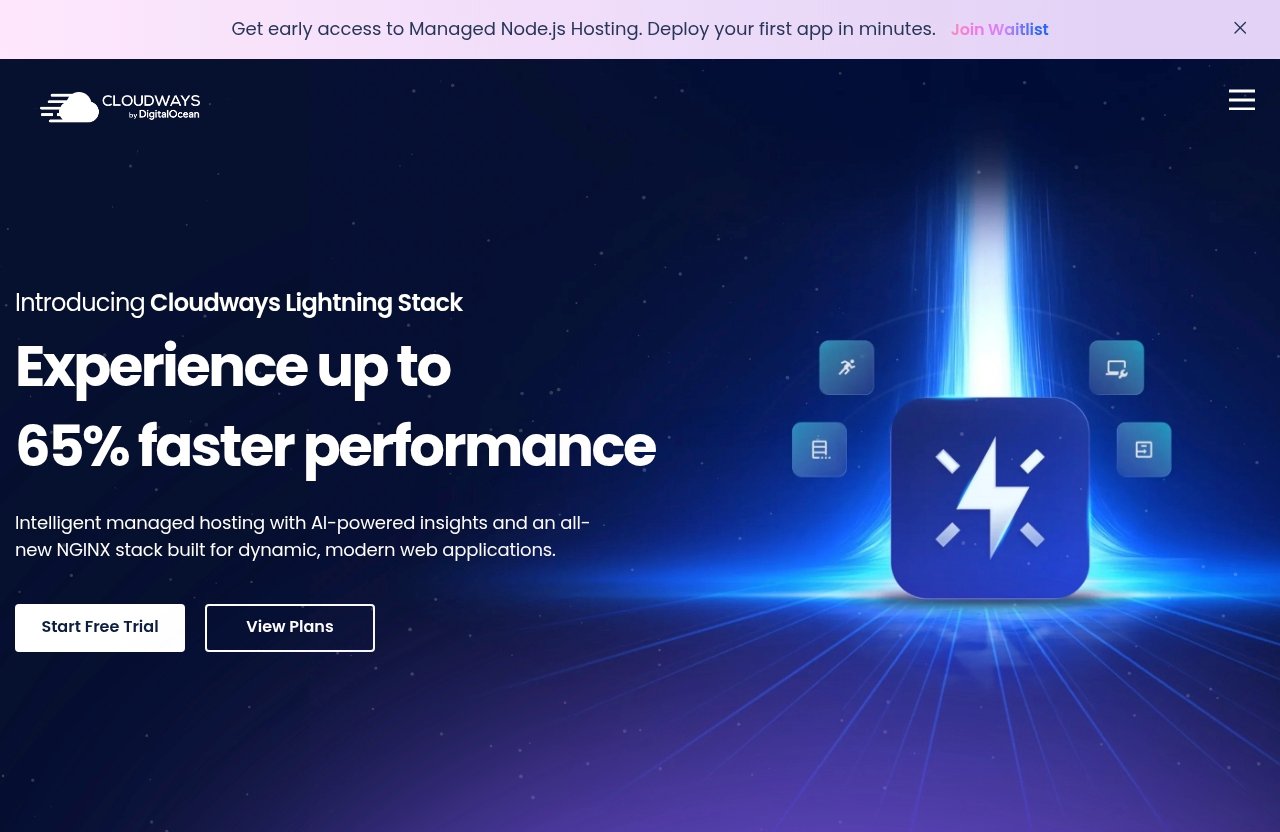
The verified Cloudways homepage features include Performance, Security, 24×7 Expert Support, Free Migration, and Free SSL. It also supports applications such as WordPress, Laravel, Magento, WooCommerce, and PHP.
But if a specific bundled feature is critical to you, do not assume it is included unless Cloudways confirms it directly.
Why managed hosting can mean intentional limits
Managed platforms often limit certain types of access to keep the environment stable, supportable, and easier to operate. That is part of the tradeoff.
The advantage is that you avoid some raw server management headaches. The disadvantage is that you may not be able to configure everything exactly the way you would on a fully self-managed VPS.
This is where cloudways drawbacks are most obvious for technical buyers. You gain convenience, but you may give up some control.
The workaround mindset: integrations and external services
Cloudways works best when you are comfortable using specialized services where needed. Instead of expecting one host to bundle everything, you build a stack that fits your site.
That may involve external tools for specific functions. The key is to confirm your workflow before migrating.
For non-technical users, this can feel fragmented. For experienced site owners, it can feel cleaner and more flexible.
Takeaway: Cloudways is not an all-in-one beginner hosting bundle. If you want every related service packaged under one roof, this may be one of the more important cloudways cons for your decision.
Official website · Latest pricing & offers
Cons #6: Performance Isn’t Automatically Better for Every Site
Performance is one of the main reasons people consider Cloudways, but one of the misunderstood cloudways cons is assuming that managed cloud hosting automatically fixes every slow site.
It does not.
Cloudways can be a strong environment, but real-world performance depends on the site, application, traffic, resources, configuration, and maintenance habits.
Why cloud performance depends on configuration
Cloud hosting gives you a foundation, not a magic wand. A bloated WordPress site with heavy plugins, oversized images, slow third-party scripts, or inefficient queries can still feel slow.
The same applies to WooCommerce, Magento, Laravel, and custom PHP applications. Hosting matters, but application quality matters too.
This is why any honest cloudways review 2026 should avoid promising universal speed improvements. The right claim is more nuanced: Cloudways may give you a better managed cloud foundation, but results vary.
When optimization work still falls on you
You may still need to optimize:
- Images and media
- Plugin or extension choices
- Theme quality
- Database overhead
- Caching behavior
- Third-party scripts
- Checkout and cart performance
- Application code
Managed hosting can reduce infrastructure complexity, but it does not replace good site hygiene.
If you are moving from a poorly optimized site, test before and after migration. Do not assume the hosting change alone will solve every problem.
What to watch during migrations and testing
Before moving a live site fully, test:
- Admin dashboard speed
- Front-end page load behavior
- Checkout flow, if using WooCommerce
- Forms and transactional workflows
- Plugin or application compatibility
- Error logs or unusual behavior
- Traffic patterns under normal usage
A staging site or small project is the safest way to evaluate Cloudways before committing production workloads.
Takeaway: Cloudways can perform well, but performance is shared responsibility. The platform matters, yet configuration and site quality still matter just as much.
Cons #7: Cloudways Isn’t Ideal for Users Who Want Maximum Control
The final major cloudways cons category is control. Cloudways is managed cloud hosting, which means the platform is designed to simplify operations.
That simplification is valuable for many buyers. But advanced users may feel constrained if they want total server-level freedom.
Why advanced users may miss root-level control
Some developers and sysadmins want deep access to the server environment. They may prefer managing everything themselves, installing custom packages, or configuring low-level services without platform restrictions.
A managed platform may not prioritize that level of control because it has to balance flexibility with stability and supportability.
If your workflow depends on unrestricted server customization, Cloudways may not be the best fit.
The tradeoff between simplicity and flexibility
Cloudways sits between beginner shared hosting and raw cloud infrastructure. That middle position is its appeal, but also its compromise.
You get more flexibility than many basic shared hosts, but less control than running your own server directly. Whether that is good or bad depends on your skill level and priorities.
This is one of the most important cloudways negatives for experienced technical buyers. The platform removes some complexity, but you may miss that complexity if it is part of how you work.
Which users are most likely to outgrow it
Users most likely to outgrow Cloudways include:
- Advanced sysadmins
- Teams with strict custom infrastructure requirements
- Developers needing unusual server-level configurations
- Businesses with highly specialized deployment workflows
- Users who prefer self-managed cloud environments
For many WordPress and WooCommerce site owners, this will not matter. For infrastructure-heavy teams, it might.
Takeaway: Cloudways is built for managed convenience, not unlimited control. If you want to tune every layer yourself, evaluate alternatives carefully.
Cloudways Cons by User Type: Who Should Avoid It?
The same cloudways cons affect different buyers in different ways. A drawback for one user may be irrelevant to another.
Here is how to think about fit by user type.
Beginners
Cloudways can work for beginners, but it is not the easiest possible starting point. If you have never launched a website and want the most guided, lowest-friction experience, traditional beginner hosting may feel simpler.
You may still choose Cloudways if you are willing to learn and want a platform that can support more serious growth later.
Best fit: motivated beginners with business goals.
Poor fit: users who want zero hosting decisions.
Budget bloggers
Budget bloggers should be cautious. If your site is not earning revenue and you mainly need a low-cost place to publish content, Cloudways may be more expensive than necessary.
This is where cloudways pricing becomes a major filter. The platform may offer value, but value is not the same as lowest price.
Best fit: bloggers investing in growth or monetization.
Poor fit: hobby sites with strict cost limits.
Agencies and developers
Agencies and developers may like Cloudways because it supports multiple applications and cloud providers. Client Billing & Reporting is also listed among Cloudways products, which may be relevant for service businesses evaluating the platform.
But agencies should be careful about support boundaries, client expectations, and total monthly costs across multiple projects.
Best fit: agencies that want managed cloud convenience.
Poor fit: teams needing full infrastructure control.
WooCommerce and high-traffic sites
WooCommerce and high-traffic sites can be good candidates, but they also carry higher risk. Performance, reliability, support, and resource sizing matter more when revenue is involved.
Cloudways supports WooCommerce, but you should still test checkout flows, admin speed, and peak traffic behavior before moving fully.
Best fit: store owners willing to test and optimize.
Poor fit: stores expecting hosting alone to fix every performance issue.
Takeaway: Cloudways is not universally right or wrong. The best buyer is someone who values managed cloud flexibility and is willing to make informed technical and budget decisions.
When Cloudways Still Makes Sense Despite the Downsides
A risk-first article should still be fair: the cloudways cons do not erase the reasons many buyers consider the platform. For the right user, the tradeoffs are acceptable.
Cloudways makes the most sense when you want more flexibility than basic hosting but do not want to manage raw cloud infrastructure yourself.
The best-fit use cases
Cloudways is most compelling for:
- Growing WordPress sites
- WooCommerce stores that need more room than basic hosting
- Laravel, Magento, PHP, and application-based projects
- Agencies managing multiple client sites
- Small businesses that care about hosting quality but lack in-house server expertise
- Users who want access to supported providers such as DigitalOcean, Vultr, Linode, AWS, and GCE
This is where “cloudways cons worth it” becomes a personal calculation. If the platform saves time and reduces operational stress, the higher cost and learning curve may be justified.
What you pay for beyond raw server specs
You are not only paying for infrastructure. You are paying for a managed platform experience around that infrastructure.
Verified Cloudways homepage features include Performance, Security, 24×7 Expert Support, Free Migration, and Free SSL. Cloudways also offers multiple products and platform options, including Cloudways Flexible, Cloudways Autonomous, Client Billing & Reporting, Cloudways Managed AI Agents, and Cloudways AI Copilot.
Those facts do not mean Cloudways is perfect. They mean it is positioned as a broader managed platform, not just a cheap server rental.
How affiliates should present Cloudways honestly
Cloudways should not be presented as the cheapest hosting or the perfect choice for every beginner. That kind of hype creates disappointed buyers.
A better recommendation is this: Cloudways is worth evaluating if you want managed cloud hosting, understand the cost tradeoff, and are willing to test your site before fully committing.
For related due diligence, StackAndSpeed readers may also want companion guides such as Is Cloudways worth it for small business in 2026?, Cloudways complaints in 2026, Cloudways review Reddit: honest 2026 reality check before you buy, and Best Cloudways alternatives in 2026.
Takeaway: Cloudways still makes sense when managed cloud convenience matters more than rock-bottom pricing or total server control.
How to Decide If Cloudways Is Right for You
The best way to evaluate cloudways cons is to turn them into a decision checklist. Do not buy based on hype, and do not reject the platform based only on isolated complaints.
Buy based on fit.
A quick checklist before sign-up
Before you sign up, confirm:
- Your monthly hosting budget is realistic
- You understand Cloudways is not basic shared hosting
- You are comfortable with a managed cloud dashboard
- You know which app you plan to host
- You have tested your site or plan to start with a small project
- You have considered support expectations
- You know whether you need Advanced Support
- You have checked whether any external services are required
- You are not expecting full root-level control
- You have a migration and rollback plan
If most of these feel reasonable, Cloudways may be a strong candidate.
Questions to ask about budget, support, and technical comfort
Ask yourself:
- Am I choosing Cloudways because I need managed cloud, or because I saw it recommended?
- Would a cheaper shared host be enough for my current site?
- Do I have enough technical confidence to troubleshoot basic issues?
- If support cannot solve an app-specific issue immediately, what is my backup plan?
- Will this site make enough money or provide enough business value to justify the platform?
- Do I need simplicity more than flexibility?
These questions matter because many cloudways complaints come from mismatched expectations.
A simple yes/no decision framework
Choose Cloudways if:
- You want managed cloud hosting
- You value flexibility over the lowest price
- You run WordPress, WooCommerce, Laravel, Magento, or PHP
- You are willing to test before production
- You understand support and control tradeoffs
Avoid Cloudways if:
- You want the cheapest possible hosting
- You want an ultra-simple beginner dashboard
- You need everything bundled in one traditional hosting package
- You require unrestricted server-level control
- You expect hosting alone to fix a poorly optimized site
In conclusion, the biggest cloudways cons are not random flaws. They are tradeoffs that come from Cloudways being a managed cloud platform rather than a bargain shared host or fully self-managed server.
If that tradeoff fits your needs, you can learn more or sign up through the official affiliate link here: https://www.cloudways.com/en/?id=1430516.
Official website · Latest pricing & offers
FAQ
Is Cloudways good for beginners?
Cloudways can work for beginners, but it is not the most beginner-friendly hosting option. The managed-cloud model and dashboard can feel more advanced than traditional shared hosting.
It is better for beginners who are willing to learn and want flexibility as their site grows.
Is Cloudways reliable?
Cloudways is generally viewed as a reliable managed cloud hosting option, but reliability depends on the chosen cloud provider, app setup, resource sizing, and how well the site is maintained.
For important sites, test on a staging site or smaller project before moving production workloads.
Why is Cloudways more expensive than shared hosting?
Cloudways is usually more expensive because it packages managed cloud infrastructure, multiple provider options, support, convenience, Free Migration, and Free SSL rather than operating like bargain shared hosting.
The higher price can be worth it if you need managed cloud flexibility, but it may be unnecessary for very small sites.
What is the biggest downside of Cloudways?
The biggest downside is the combination of higher cost and more complexity than some buyers expect. Cloudways is easier than raw cloud hosting, but it is not as simple or cheap as basic shared hosting.
For advanced users, limited maximum control can also be a major drawback.
Should I choose Cloudways or Hostinger?
Choose based on priorities rather than brand alone. If you mainly want lower cost and simplicity, a shared-hosting-style option may be more suitable.
If you want managed cloud flexibility, supported cloud provider choices, and room for more serious site growth, Cloudways may be the better fit.
What are the biggest cloudways cons buyers should test first?
The biggest cloudways cons to test first are pricing fit, support expectations, dashboard comfort, migration results, and real-world performance on your own site.
Do not rely only on reviews. Launch a staging site or small project and see how the platform works for your actual workflow.
