
If you are comparing hosting options for WooCommerce, Magento, or another PHP-based store, Cloudways for ecommerce is worth a serious look. The real question is not just “Is it fast?” but whether it can support the parts of your store that directly affect revenue: product page loading, cart behavior, checkout stability, and performance during campaigns.
This Cloudways ecommerce review focuses only on verified official Cloudways facts, then separates those facts from practical interpretation. Cloudways positions itself as a simplified managed cloud hosting platform with performance, security, 24×7 expert support, free migration, and free SSL. It also explicitly supports WooCommerce and Magento, which makes it relevant for ecommerce owners evaluating cloudways ecommerce hosting in 2026.
Official website · Latest pricing & offers
Cloudways for ecommerce: what it is and who it suits
Cloudways is a managed cloud hosting platform designed to simplify hosting on cloud infrastructure. Instead of buying raw cloud servers directly and configuring everything yourself, you use Cloudways as a managed layer on top of cloud providers.
Officially, Cloudways says it uses cloud providers including DigitalOcean, Vultr, Linode, AWS, and GCE. That matters because ecommerce stores often need more control and stronger infrastructure than basic shared hosting provides, but many store owners do not want to manage servers manually.
For Cloudways for ecommerce, the appeal is practical: you get cloud-based hosting, a managed platform experience, and ecommerce-relevant support for WooCommerce and Magento without needing to become a sysadmin.
Why ecommerce owners research Cloudways
Ecommerce owners usually start researching Cloudways when their current host begins to feel limiting. Common triggers include slow product pages, cart delays, checkout errors during promotions, or support teams that cannot explain what is happening under load.
From my experience reviewing hosting for store owners, the most expensive hosting problem is not always downtime. It is often the subtle friction: a product page that loads slowly from an ad campaign, a cart page that hesitates, or a checkout session that feels unstable enough for buyers to abandon.
That is why Cloudways for ecommerce is usually a commercial investigation topic, not a casual hosting comparison. Store owners want to know whether better hosting can protect conversions.
Store types that can benefit most: WooCommerce, Magento, and other PHP-based shops
Cloudways officially lists WooCommerce and Magento as supported ecommerce-related apps. It also supports WordPress, Laravel, and PHP, which makes it relevant for many PHP-based ecommerce projects.
For WooCommerce stores, cloudways woocommerce hosting is especially interesting because WooCommerce lives inside WordPress. That means store speed depends on the hosting stack, theme quality, plugins, database behavior, and checkout flow.
For Magento stores, cloudways magento hosting can be relevant because Magento is typically more resource-intensive than a simple brochure website. The official Cloudways information confirms Magento support, but you should still check your own extensions, traffic profile, and developer requirements before migrating.
When Cloudways is a better fit than shared hosting or basic managed WordPress hosting
Cloudways tends to make more sense when a store has outgrown bargain hosting but does not want the complexity of managing cloud servers directly. Shared hosting can be fine for a small catalog with light traffic, but it may struggle when traffic and transactions become less predictable.
Basic managed WordPress hosting may work well for content sites and small WooCommerce shops. But if your store needs cloud provider flexibility, managed cloud hosting, and support for apps beyond WordPress, Cloudways becomes more compelling.
The best-fit scenario for Cloudways for ecommerce is a store owner who values speed, control, and support but still wants the server management experience simplified.
How Cloudways helps ecommerce sites stay fast
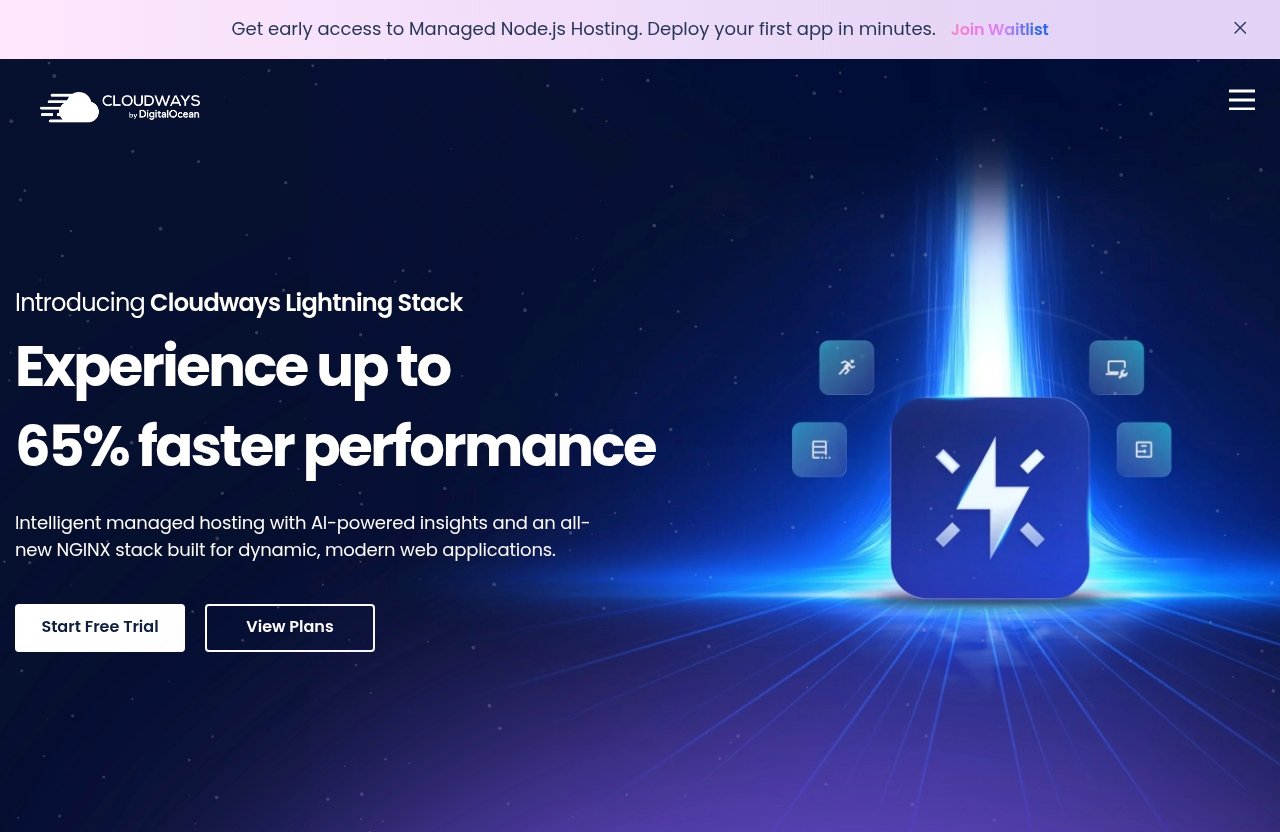
Speed is one of the strongest reasons ecommerce owners compare hosts. Cloudways officially emphasizes performance, “lightning-fast loading times,” and a seamless platform experience.
Those are marketing claims, not independent benchmark results. So the useful way to evaluate Cloudways performance for ecommerce is to connect its verified positioning to the practical areas where hosting affects store experience.
Cloud hosting architecture in plain English
Cloud hosting means your site runs on cloud infrastructure rather than a traditional shared hosting environment. In the Cloudways model, you choose hosting through a managed platform that sits on top of providers such as DigitalOcean, Vultr, Linode, AWS, and GCE.
In plain English, this gives you access to cloud infrastructure while Cloudways handles much of the hosting management layer. That can be attractive if you want more performance potential than cheap shared hosting, but you do not want to configure and maintain a raw server yourself.
This is the core idea behind cloudways managed cloud hosting: combine cloud provider infrastructure with a simplified managed platform.
Why speed matters for product pages, carts, and checkout
Ecommerce speed is not just about scoring well on a testing tool. It affects how shoppers move from product discovery to purchase.
A slow product page can reduce confidence before the buyer even clicks “Add to Cart.” A sluggish cart can make people second-guess the purchase. A checkout that takes too long to respond can increase abandonment, especially on mobile or during a limited-time sale.
This is where Cloudways for ecommerce should be judged carefully. The official material supports the idea that Cloudways is performance-focused, but your actual cloudways store speed will also depend on your theme, plugins, images, database, code quality, and third-party scripts.
Official Cloudways performance and platform features to note
The verified Cloudways feature list includes Performance, Security, 24×7 Expert Support, Free Migration, and Free SSL. Cloudways also describes its hosting as customizable managed hosting and says it offers fast loading times and a seamless platform experience.
For ecommerce owners, the performance positioning matters because product pages, category pages, cart pages, and checkout pages all need consistent responsiveness. However, Cloudways does not provide verified benchmark numbers in the product facts available here, so it would be irresponsible to promise a specific load time.
A fair interpretation is this: Cloudways for ecommerce gives store owners a performance-oriented managed cloud environment, but it still needs to be configured and tested against your actual store.
Checkout stability and reliability during peak demand
Checkout is the most sensitive part of an ecommerce site. A shopper can forgive a slightly slower blog post, but they are much less forgiving when payment, shipping, or order confirmation feels uncertain.
For that reason, checkout stability is where hosting quality becomes a revenue issue. Cloudways checkout speed is not just about raw loading time; it is about reducing friction when the buyer is ready to pay.
Why cart abandonment rises when checkout slows
Cart abandonment can happen for many reasons: shipping costs, payment issues, lack of trust, distractions, or a confusing checkout layout. Hosting is only one part of that equation.
But hosting becomes visible when checkout pages load slowly, payment steps lag, or the cart fails during a campaign. Even a few seconds of hesitation can make a buyer wonder whether the store is reliable.
That is why Cloudways for ecommerce should be evaluated around checkout behavior, not just homepage speed. Test product-to-cart flow, coupon application, shipping calculations, payment redirects, and order confirmation.
How managed hosting reduces server management burden
A managed hosting platform reduces the amount of server-level work a store owner or small team has to handle. With raw cloud hosting, you may need to configure the server stack, monitor resources, manage security layers, and troubleshoot issues manually.
Cloudways positions itself as a managed cloud hosting platform simplified. For ecommerce owners, that simplicity can free up time for merchandising, conversion optimization, inventory, and customer service.
This does not mean you can ignore technical maintenance entirely. Your store still needs plugin updates, extension checks, database care, and checkout testing. But Cloudways for ecommerce may reduce the hosting infrastructure burden compared with unmanaged cloud servers.
What Cloudways says about uptime and expert support
Cloudways’ WooCommerce page says stores are hosted on optimized cloud servers built for speed and uptime, with one-click installs, free migration, and 24/7 support. The official homepage also lists 24×7 Expert Support.
That is useful, but the product facts available here do not include a verified uptime percentage. So I would not claim a specific uptime guarantee or performance result.
The practical takeaway is that Cloudways emphasizes uptime, support, and managed hosting as part of its ecommerce value proposition. For a revenue-generating store, support availability matters because checkout problems rarely happen at a convenient time.
Handling traffic spikes, promos, and seasonal sales
Ecommerce traffic is rarely smooth. You may have quiet mornings, sudden email-driven surges, paid ad bursts, influencer mentions, Black Friday-style promotions, or product launches that compress demand into a short window.
This is where many store owners start searching for cloudways traffic spikes and similar terms. They want to know whether the host can handle pressure when sales matter most.
Flash sales, email campaigns, and holiday traffic surges
A flash sale can create a traffic pattern that looks nothing like your normal week. Hundreds or thousands of shoppers may hit product pages, cart pages, and checkout at the same time.
Email campaigns can do the same thing. If you send a discount code to a large list, shoppers may arrive in waves, apply coupons, check shipping, and refresh carts.
For Cloudways for ecommerce, the official facts support a performance-focused managed cloud hosting platform. But they do not support exaggerated claims like “your store will never slow down” or “Cloudways automatically handles any traffic spike.” You should plan, test, and monitor.
Scalability expectations for growing ecommerce stores
Cloud hosting can be a better foundation for growth than low-cost shared hosting, but scalability is not magic. Your application still matters.
A WooCommerce store with a lightweight theme, optimized images, and clean plugins may behave very differently from one with bloated scripts, heavy page builders, and dozens of poorly maintained extensions. A Magento store with complex customizations may need more careful technical review.
The fair expectation for Cloudways for ecommerce is that it gives you a more serious managed cloud environment to build on. The verified facts do not include specific scaling guarantees, so your decision should include load testing, staging checks, and monitoring before major campaigns.
What to monitor before and after a traffic spike
Before a promotion, test the full buying path. Start at an ad landing page, view a product, add it to cart, apply a coupon, enter shipping details, complete payment, and confirm the order email.
During the campaign, monitor page responsiveness, checkout errors, payment gateway behavior, server resource usage if available in your setup, and customer support messages. After the spike, review abandoned carts, failed payments, and slow pages.
This is where a managed platform can help, but it does not replace preparation. If you are evaluating Cloudways for ecommerce, run a realistic test before relying on it for a high-stakes launch.
Official website · Latest pricing & offers
Cloudways ecommerce features worth paying attention to
Cloudways lists several official features that matter to ecommerce owners: Performance, Security, 24×7 Expert Support, Free Migration, and Free SSL. These are not abstract hosting features; they connect directly to store operations.
Here is a simple breakdown of what is verified and how I would interpret it for ecommerce use.
| Verified Cloudways Feature | Ecommerce Relevance | Important Caveat |
|---|---|---|
| Performance | Helps support faster browsing, cart movement, and checkout experience | No verified benchmark numbers provided here |
| Security | Important for trust and store protection | “Security” is broad; still maintain your app, plugins, and extensions |
| 24×7 Expert Support | Useful when issues happen during sales or off-hours | Support scope should be confirmed directly with Cloudways |
| Free Migration | Lowers friction when moving from another host | Complex stores still need careful migration testing |
| Free SSL | Supports encrypted browsing and checkout trust | SSL is essential, but not a complete security strategy |
Free migration
Cloudways officially lists Free Migration. For ecommerce owners, this can reduce the practical barrier to switching hosts.
Migration is more delicate for stores than for simple websites. You need to preserve orders, customer accounts, product data, images, URLs, and checkout behavior.
If you are considering Cloudways for ecommerce, do not treat migration as complete just because files move successfully. Test cart behavior, payment gateways, tax rules, shipping rules, transactional emails, and redirects before pointing live traffic to the new setup.
Free SSL
Cloudways officially lists Free SSL. For ecommerce, SSL is non-negotiable because shoppers expect a secure connection when entering personal or payment-related information.
SSL also supports trust signals in the browser. If a checkout page shows security warnings, conversions can suffer immediately.
Free SSL is a useful included feature for cloudways ecommerce hosting, but it is only one layer of store security. You still need secure passwords, updated software, careful access control, and responsible payment handling.
24/7 expert support
Cloudways lists 24×7 Expert Support, and its WooCommerce page also references 24/7 support. For store owners, support availability matters because ecommerce problems can appear during weekends, launches, or international shopping hours.
If a checkout issue appears during a paid campaign, waiting until the next business day can be costly. Having support available around the clock can reduce operational stress.
That said, you should confirm support scope directly with Cloudways. Ask what they help with at the hosting level versus what remains your developer’s responsibility.
Security and performance feature set
Cloudways officially highlights Security and Performance. Its ecommerce marketing also mentions ironclad security and high-performance stores.
Those are strong marketing phrases, so I would interpret them carefully. The verified fact is that Cloudways positions these as core platform strengths; the unverified part is how much improvement your specific store will see.
For Cloudways for ecommerce, the smart approach is to view security and performance as reasons to test Cloudways, not as a reason to skip your own due diligence.
Cloudways pricing for ecommerce buyers
Pricing is a major part of the decision, especially for small stores. Cloudways’ verified pricing facts are limited in the provided official material: it uses a pay-as-you-go model and describes pricing as flexible and transparent.
The source material here does not provide verified plan names or exact current monthly prices. So this article will not invent numbers.
For a deeper breakdown, see our guide to [Cloudways Pricing 2026 Explained: What You Actually Pay](/cloudways-pricing-2026).
Pay-as-you-go and no long-term contracts
Cloudways uses a pay-as-you-go model. That can be attractive if you dislike traditional hosting plans that force you into a long prepaid term before you know whether the platform fits.
For Cloudways for ecommerce, pay-as-you-go pricing can make testing more practical. You can evaluate performance, migration workflow, and checkout behavior before making a larger commitment.
Still, confirm the current terms on the official Cloudways pricing page before purchasing. Pricing pages can change, and the available facts here do not verify current monthly amounts or plan tiers.
How to think about value for small vs. growing stores
A very small store with low revenue may find Cloudways more expensive than budget hosting or unmanaged cloud options. That is one of the most common tradeoffs in a cloudways ecommerce review.
But value changes when your store starts spending on ads, running launches, or depending on checkout reliability. If faster store experience and better operational support help protect conversions, the hosting cost may be easier to justify.
The right way to evaluate cloudways for ecommerce pricing is to compare it against revenue risk, not just the cheapest server bill. A $5 hosting difference matters less than a checkout issue during a campaign.
What to confirm on the official pricing page before purchase
Before buying, confirm the live Cloudways pricing page for current prices, cloud provider options, included resources, billing terms, and any add-ons you may need. Do not rely on outdated screenshots from reviews.
Also confirm what is included for your chosen app. WooCommerce, Magento, WordPress, Laravel, and PHP are supported, but your exact store setup may have special requirements.
If you are ready to inspect the current offer directly, you can review Cloudways through the official site here: visit Cloudways.
Pros, cons, and best-fit scenarios
No host is perfect for every store. Cloudways for ecommerce is strongest when you want managed cloud hosting, ecommerce app support, and a performance-oriented platform without managing raw infrastructure yourself.
It is less ideal if your priority is the absolute cheapest hosting bill or if you need a host that handles every application-level issue for you.
For a broader risk-focused view, read [Cloudways Cons in 2026: 7 Things to Know Before You Buy](/cloudways-cons).
Where Cloudways is strong for ecommerce
Cloudways is strong for ecommerce owners who want a managed cloud hosting platform simplified. The official support for WooCommerce and Magento is especially relevant.
Its verified features line up well with ecommerce needs: Performance for browsing and checkout flow, Security for trust, 24×7 Expert Support for operational help, Free Migration for switching hosts, and Free SSL for secure browsing.
Cloudways also offers cloud provider flexibility through DigitalOcean, Vultr, Linode, AWS, and GCE. That gives store owners more infrastructure choice than many basic hosting environments.
Potential drawbacks to consider
The biggest common drawback is cost compared with cheaper cloud server options or budget shared hosting. If you are comfortable managing a raw server, you may find cheaper infrastructure elsewhere.
Another consideration is that managed hosting does not automatically fix a poorly built store. Heavy plugins, bad themes, unoptimized images, and inefficient custom code can still slow down WooCommerce or Magento.
Cloudways also requires you to understand enough about your store to choose sensible resources and test properly. Beginners may want to read [Cloudways for Beginners: An Honest First-Time User Guide](/cloudways-for-beginners) before migrating a live store.
Who should choose a different host
Choose a different host if your store is tiny, experimental, and highly price-sensitive. In that case, a cheaper entry-level option may be enough while you validate the business.
You may also want a different host if you need a highly specialized platform for a non-PHP ecommerce system not verified in Cloudways’ official supported app list. Cloudways supports PHP, WordPress, Laravel, WooCommerce, and Magento, but you should not assume every ecommerce stack is covered.
If your store is WordPress-only and you are comparing premium managed WordPress options, see [Cloudways Review 2026 for WordPress Sites](/cloudways-review-2026) and [Cloudways vs WP Engine 2026: Which Premium WordPress Host Should You Choose?](/cloudways-vs-wp-engine).
How to decide if Cloudways is right for your store
The decision comes down to risk, revenue, and operational comfort. Cloudways for ecommerce is most compelling when slow pages, checkout friction, or campaign traffic create real business risk.
If your store earns meaningful revenue, hosting should not be treated as a commodity. It is part of the buying experience.
Checklist for store owners
Use this checklist before choosing Cloudways:
- Your store runs on WooCommerce, Magento, WordPress, Laravel, or PHP.
- You want managed cloud hosting instead of unmanaged cloud servers.
- You care about product page speed, cart responsiveness, and checkout stability.
- You run promotions, ad campaigns, or seasonal sales.
- You want free SSL and migration support included as verified Cloudways features.
- You are comfortable checking live pricing before purchase.
- You understand that hosting improves infrastructure, but does not replace store optimization.
If most of these points apply, Cloudways for ecommerce deserves a place on your shortlist.
Questions to ask before migrating
Before migrating, ask practical questions. What are your current pain points: slow checkout, server errors, poor support, or inconsistent performance during campaigns?
Also ask what parts of your store are most resource-heavy. Is it search, filtering, checkout, subscriptions, product variations, or admin order processing?
Finally, ask what you will test after migration. A responsible ecommerce migration should include checkout, payment gateways, shipping logic, coupons, emails, redirects, and analytics tracking.
When to start with a lower-risk test site
If your store is already live and taking orders, avoid a rushed migration. Start with a staging or test setup when possible.
Test real user flows, not just homepage loading. Walk through product discovery, cart updates, coupon use, checkout, payment, and order confirmation.
This lower-risk approach is especially important before major sales events. Cloudways for ecommerce can be a strong fit, but your confidence should come from testing your own store, not assuming every store behaves the same.
Official website · Latest pricing & offers
FAQ
What are the downsides of Cloudways?
The main downside is that Cloudways can be more expensive than cheaper cloud server options or bargain shared hosting, especially for very small stores. It also does not automatically fix inefficient themes, plugins, extensions, or custom code. If you want the absolute lowest cost and can manage servers yourself, Cloudways may not be the cheapest route.
What is the best hosting platform for ecommerce?
The best hosting platform for ecommerce depends on your store size, platform, budget, support needs, and traffic volatility. WooCommerce and Magento stores with growth plans may benefit from managed cloud hosting like Cloudways, while very small stores may be fine on simpler hosting. The right choice is the one that supports your checkout reliably at the traffic levels you actually expect.
How much does Cloudways cost per month?
Cloudways uses a pay-as-you-go pricing model and describes its pricing as flexible and transparent. The verified source material here does not include current monthly prices, plan names, or feature tiers. Always confirm live pricing on the official Cloudways pricing page before purchasing because prices and terms can change.
Is Cloudways a Pakistani company?
The official product facts provided for this article verify Cloudways’ hosting positioning, supported apps, providers, and features, but they do not verify company nationality or incorporation details. I would not rely on unsourced claims for that question. If company background matters to your buying decision, confirm it through Cloudways’ current official legal or company pages.
For store owners who want managed cloud infrastructure, verified WooCommerce and Magento support, free SSL, free migration, 24×7 expert support, and a performance-focused platform, Cloudways for ecommerce is a strong option to test. It is not the cheapest possible path, and it does not remove the need for good store optimization, but it fits the needs of many growing ecommerce businesses better than basic shared hosting.
If you want to evaluate the current platform, pricing, and provider options directly, check the official Cloudways site here: review Cloudways for your ecommerce store.
